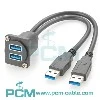
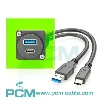
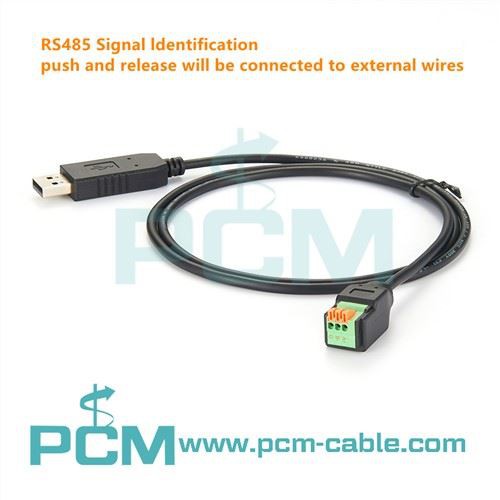
The USB RS485 converter is a commonly used interface conversion device that can convert USB interfaces to RS485 interfaces, allowing computers to communicate with devices that use RS485 interfaces. Properly configuring the USB RS485 converter is crucial for ensuring communication stability and reliability.
1, Hardware connection
Choose the appropriate USB RS485 converter: Choose the appropriate USB RS485 converter according to actual needs, ensuring that the converter supports the required transmission rate, transmission distance, and multi device connection capability.
Connect USB interface: Connect the USB interface of the USB RS485 converter to the USB port of the computer. Ensure a stable connection and avoid loosening or detachment.
Connect RS485 interface: Connect the interface of the RS485 device that needs to be converted to the RS485 interface of the USB RS485 converter. Depending on the interface type of the device, it may be necessary to use corresponding connecting cables or adapters.
2, Driver installation
Download driver: Download the driver for the USB RS485 converter from the manufacturer's website or driver provider's website. Ensure to select a driver version that is compatible with the operating system.
Install driver: Double click on the downloaded driver file and follow the prompts to complete the installation process. During the installation process, it may be necessary to choose options such as installation path and connection type, depending on the actual situation.
Verify driver installation: After installation is complete, restart the computer and check if the USB RS485 converter device is displayed in the device manager. If the device displays normally, it indicates that the driver has been successfully installed.
3, Software settings
Choose communication protocol: Based on the actual application requirements, choose the appropriate communication protocol, such as Modbus, CAN, etc. Ensure that communication software or applications on the computer support the selected protocol.
Configure communication parameters: In communication software or applications on a computer, configure communication parameters related to USB RS485 converters, such as baud rate, data bits, stop bits, check bits, etc. These parameters should be consistent with the connected RS485 device.
Test communication connection: After completing the configuration, conduct communication testing to verify whether the connection is normal. You can try sending and receiving data to see if it can be transmitted and received correctly.
4, Common problems and solutions
Unable to recognize device: If the computer cannot recognize the USB RS485 converter, you can try reinserting and unplugging the converter to check if the driver is installed correctly, or try replacing the USB port.
Communication instability: If there is instability or interruption during the communication process, you can try adjusting communication parameters, such as baud rate, data bits, etc., to improve communication quality. In addition, it is necessary to check whether the connecting cables are intact to avoid electromagnetic interference and other factors.
Data transmission error: If there is an error or loss during data transmission, you can check if the data format and communication protocol are set correctly, and if the RS485 device is working properly.
Through the introduction in this article, it is believed that readers have mastered the method of configuring USB RS485 converters. In practical applications, configuration should be based on specific needs and equipment conditions, and attention should be paid to solving common problems to ensure communication stability and reliability. Proper configuration and settings will provide a solid foundation for communication between computers and RS485 devices.
Mar 06, 2024
Leave a message
How to configure a USB RS485 converter
Send Inquiry