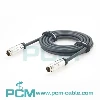
The NMEA 2000 power cable is typically connected to a power source to provide electrical power to the NMEA 2000 network. Here's a detailed explanation of how to connect the NMEA 2000 power cable:
Identify the Power Supply: The NMEA 2000 power cable requires a power supply that can provide the necessary voltage and current for the network. In most cases, the power supply is a 12-volt direct current (DC) system. Ensure that you have a power source available that meets the requirements.
Locate the NMEA 2000 Network: The NMEA 2000 network consists of multiple devices connected together using a backbone cable. The backbone cable is the main cable that carries power and data throughout the network. Locate the backbone cable, which is usually a thick, round cable with multiple connectors.
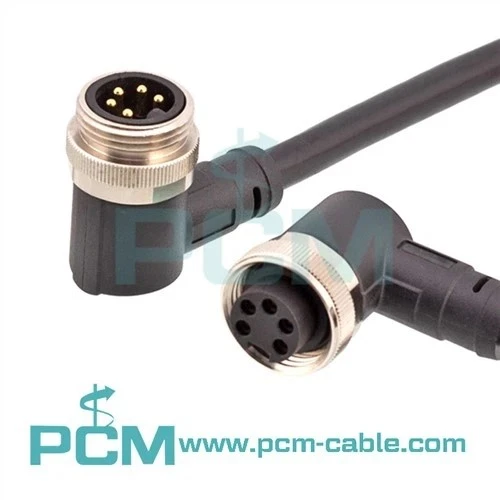
Choose the Appropriate Connection: The NMEA 2000 power cable typically has two types of connectors: a male T-connector and a female T-connector. The male T-connector has three prongs, while the female T-connector has three receptacles. Determine which connector you need based on the specific requirements of your network installation.
Connect the Power Cable: Plug the male T-connector of the power cable into an open female T-connector on the backbone cable. Make sure the connectors align correctly and securely lock into place. This connection allows the power to flow through the backbone cable and distribute it to all the devices on the network.
Connect the Power Source: Locate the power source that you identified in step 1. It could be a dedicated power distribution panel or an existing power supply on your boat or vehicle. Strip the end of the power cable to expose the bare wires. Connect the positive (red) wire to the positive terminal of the power source and the negative (black) wire to the negative terminal. Ensure a secure and tight connection to avoid any power interruptions.
Power On the Network: Once the power cable is connected to the power source, turn on the power supply. This will energize the NMEA 2000 network and provide electrical power to all the devices connected to it.
Verify the Power Connection: Check the devices on the NMEA 2000 network to ensure they are receiving power. Most devices will have an LED indicator that illuminates when power is supplied. Additionally, check the network diagnostic tools or software to verify that the power supply is functioning correctly.
Remember to follow the manufacturer's instructions and guidelines specific to your NMEA 2000 network and devices. Always prioritize safety by ensuring the power supply is turned off before making any connections and using appropriate electrical safety measures.