1, USB-A interface:
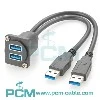
The USB-A interface is one of the most common USB interfaces, commonly found in computers, computer peripherals, and many other devices. It has a rectangular shape and usually has a protruding internal tongue, which needs to be correctly aligned during insertion and removal. The USB-A interface is widely used in different versions of standards such as USB 1.0, 2.0, 3.0, and 3.1, and is the main connection method for many devices. However, due to its single insertion and removal direction design, it is sometimes not very convenient to use.
2, USB-B interface:
The USB-B interface has a more unique shape compared to USB-A, usually square or nearly square, and has a raised central tongue. The USB-B interface is mainly used to connect external devices such as printers, scanners, and some audio devices. Compared to USB-A, the insertion and removal direction of USB-B is not as limited, as the protrusion on the tongue can provide directional guidance during insertion and removal. However, in practical use, the insertion and removal of USB-B still requires some attention.
3, USB-C interface:
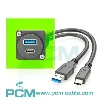
The USB-C interface is currently one of the latest generation USB standards and also the most advanced. Its shape is a small and compact ellipse, which is completely different from the traditional USB-A and USB-B shapes. The USB-C interface has a design that is independent of the insertion and extraction direction, allowing users to insert it freely without worrying about the direction. This makes USB-C more convenient in terms of user experience. In addition, USB-C supports higher data transfer rates and larger power transmission, making it widely used in high-performance computers, smartphones, tablets, external hard drives, and other devices.
4, Data transmission speed:
Another significant difference between USB-A, USB-B, and USB-C is the data transfer speed they support. When the USB-A interface was initially designed, it only supported lower transfer rates. With the continuous upgrading of USB, USB 3.0 and USB 3.1 versions provided higher speeds. The USB-B interface also supports higher speeds, but in practical applications, it depends on the specific specifications of the device. The USB-C interface typically supports higher data transfer rates, making it an ideal choice for handling high demand scenarios such as large files and high-definition video transmission.
5, Power transmission:
USB interfaces are not only used for data transmission, but also widely used for power transmission. In this regard, the USB-C interface has greater advantages compared to USB-A and USB-B. USB-C supports higher power transmission, thus providing power to a wider range of devices, including laptops, tablets, and some high-performance peripherals. This is particularly important for users in modern life who are increasingly demanding mobility and portability.
6, Applicable scenarios:
Due to their respective characteristics, USB-A, USB-B, and USB-C have different advantages in different application scenarios. USB-A is widely used in traditional computers and many external devices, while USB-B is mainly used in specific peripheral devices such as printers and audio devices. As the latest standard, USB-C has gradually replaced many traditional interfaces and become the preferred connection method for various devices, especially in situations that require high-speed data transmission and charging.