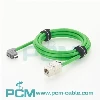
When connecting a camera to a computer, the following types of cables are typically used:
USB cable: USB (Universal Serial Bus) cable is one of the most common connection methods between cameras and computers. USB cables are typically used for transferring photos and video files, as well as controlling camera functions. Most cameras are equipped with a USB interface, usually USB 2.0, USB 3.0, or USB-C interface. Depending on the model of the camera and computer, you may need corresponding USB adapters or adapters to connect different types of USB ports.
HDMI cable: An HDMI (High Definition Multimedia Interface) cable is typically used to connect a camera to a Computer monitor or High-definition television. This connection method allows for real-time viewing and transmission of camera captured content on the large screen. Cameras are usually equipped with an HDMI output interface, while computers or monitors require a corresponding HDMI input interface.
Thunderbolt cable: If both your camera and computer support Thunderbolt technology, you can use a Thunderbolt cable to connect. Thunderbolt is a high-speed data transmission technology that supports the simultaneous transmission of images, audio, and other data. This connection method is suitable for professional cameras that require high bandwidth transmission, such as some high-end photography and video devices.
FireWire cable: Some older cameras and computers may support the FireWire interface. FireWire (also known as IEEE 1394) is a fast data transmission technology commonly used for connecting audio and video devices. If both your camera and computer have a FireWire interface, you can connect using a FireWire cable.
Ethernet cable: In some cases, you may need to use an Ethernet cable to connect the camera to the computer network. This connection method is usually used for remote control of cameras, transmission of images and video streams, or for multi camera shooting in professional photography studios. Both cameras and computers need to have an Ethernet interface and be connected on the same LAN.
No matter which cable connection method you choose, you also need to ensure that your computer has the corresponding interface and has the appropriate driver or software installed for communication and data transmission with the camera. In addition, the specific connection steps and settings may vary depending on the camera brand, model, and operating system. Therefore, please refer to the user manual or official documentation of the camera and computer for accurate guidance.