1, Design purpose and physical characteristics
RS485 and USB have completely different design purposes. RS485 is a serial communication protocol for differential signal transmission, mainly used in industrial control, security monitoring and other occasions that require long-distance, multi node communication. It uses two differential signal lines (A and B) to transmit data, with strong anti-interference ability, long transmission distance, and support for multi node communication. In contrast, USB (Universal Serial Bus) is an interface standard primarily used to connect computers with external devices, aiming to provide a convenient, high-speed, plug and play data transfer method. A USB interface typically consists of four pins (VCC, D+, D -, GND), where D+and D - are responsible for data transmission, and VCC and GND provide power.
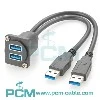
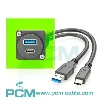
In terms of physical characteristics, RS485 interfaces usually adopt connector forms such as DB9 or DB25, while USB interfaces have undergone multiple iterations, from Type-A and Type-B of USB 1.0 to Mini-B and Micro-B of USB 2.0, and then to Type-A (SuperSpeed), Type-B (SuperSpeed), Type-C of USB 3.0, etc., with diverse forms to meet the needs of different devices and application scenarios.
2, Communication Protocol and Data Transmission
RS485 and USB also have significant differences in communication protocols and data transmission methods. The RS485 communication protocol is based on differential signal transmission, with strong anti-interference ability and transmission distance, supporting half duplex and full duplex communication modes. During data transmission, the RS485 interface transmits data through differential signal lines A and B. When the voltage on line A is higher than that on line B, it indicates a logic "1", and vice versa, it indicates a logic "0". This differential signal transmission method enables RS485 to achieve stable data transmission over long distances and in noisy environments.
USB, on the other hand, adopts a more complex communication protocol and data transmission method. The USB communication protocol consists of four layers: physical layer, link layer, device layer, and transaction layer. During data transmission, the USB interface transmits differential signals through the D+and D - pins, but the signal format and encoding method are different from RS485. In addition, USB also supports multiple data transfer rates, ranging from 1.5Mbps for USB 1.0 to 480Mbps for USB 2.0, 5Gbps for USB 3.0 (SuperSpeed), and 10Gbps for USB 3.1 (SuperSpeed+), meeting the data transfer rate requirements of different applications.
3, Application scenarios and compatibility
RS485 and USB also have differences in application scenarios and compatibility. The RS485 interface is widely used in industrial automation, security monitoring, environmental monitoring, and other fields due to its characteristics of long-distance transmission, multi node communication, and strong anti-interference ability. In these fields, RS485 interface can achieve reliable connection and data transmission with various sensors, actuators, controllers and other devices.
The USB interface is widely used for connecting computers with external devices due to its convenience, high speed, and plug and play characteristics. From keyboards and mice to printers, scanners, and storage devices such as USB drives and portable hard drives, USB interfaces have become the mainstream way for computers to connect with external devices. In addition, with the continuous development of USB technology, more and more smart devices are also beginning to support USB interfaces, such as smartphones, tablets, etc.
In terms of compatibility, RS485 interfaces usually follow unified electrical characteristics and communication protocol standards, so devices from different manufacturers have good compatibility. However, USB interfaces have certain compatibility differences due to different versions and types. For example, the USB 3.0 interface has significant differences in physical form and electrical characteristics compared to the USB 2.0 interface, so specialized conversion cables or converters are required to achieve connections and data transfer between different versions of the USB interface.