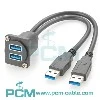
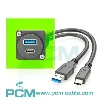
To set up your M8 M12 Y-type splitter cable, follow these steps:
Preparation: Confirm the compatibility of the device you need to connect with the M8 M12 splitter adapter, and make sure the cable and connector are not damaged.
Connect power: Connect one end of the M8 M12 T distributor to the power supply or signal source device.
Connect devices: Connect the other two ports of the M8 T splitter to the two devices you need to split the signal.
Check the connection: Make sure all connectors are firmly connected and there is no looseness.
Test: Power on the test to ensure that the signal can be transmitted normally to the two devices and the devices are working properly.
Secure the cable: Use a cable clamp or other fixing device to secure the cable to prevent looseness or damage.
With these steps, you can successfully set up and use your M8 M12 Y-type splitter cable.

You May Also Like

Minifast 7/8"-16UNF Tee h Y Splitter

Minifast 7/8"-16UNF MPIS Distribution Box

DeviceNet Cables And Adapters

M12 Tee h Y Splitter

NMEA2000 Tee Connectors

DeviceNet Profibus Power Supply Cables