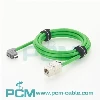
To determine if your Ethernet cable is capable of supporting gigabit (1000 Mbps) speeds, you can follow these steps:
Check the cable category: Ethernet cables are categorized based on their capabilities. The most common categories are Cat5, Cat5e, Cat6, Cat6a, and Cat7. Higher category cables generally have better shielding and can handle higher speeds. Look for the category written on the cable itself or on its packaging.
- Inspect the cable connectors: Gigabit Ethernet typically uses RJ-45 connectors, which have eight pins. Ensure that your cable has these connectors at both ends. The connectors should be gold-plated, which provides better conductivity and reduces interference.
- Examine the cable itself: Gigabit Ethernet cables often have thicker and more robust construction compared to older cables. Look for cables with thicker insulation, tighter twists, and better shielding. These features help minimize crosstalk and interference, allowing for faster data transmission.
- Verify cable length: The length of your cable can also affect its performance. Gigabit Ethernet is typically capable of supporting distances up to 100 meters (328 feet) using Cat5e, Cat6, or higher category cables. If your cable exceeds this length, it may not support gigabit speeds over the entire distance.
- Test the cable: You can use a cable tester or network testing tool to check the cable's performance. These tools can measure the cable's bandwidth capacity and verify if it can handle gigabit speeds. They can also detect any connectivity issues or faults in the cable.
- Check your network equipment: Even if you have a gigabit cable, it's important to ensure that your network devices (routers, switches, network interface cards, etc.) also support gigabit speeds. All components in the network chain need to be capable of handling gigabit connections for optimal performance.
It's worth noting that while older cable categories like Cat5 or Cat5e may support gigabit speeds, they might not perform as well as Cat6 or higher category cables. Upgrading to a higher category cable can ensure better performance and future-proof your network for faster speeds.
Remember to consider your specific requirements and the capabilities of your network equipment when selecting or verifying an Ethernet cable for gigabit speeds.

You May Also Like
GigE Cable with Angled RJ45 Connectors

GigE Camera Cable with Screw Lock

IX Industrial Category 6A Ethernet Cable

High Flex Cat6A GigE Ethernet Cable

GigE Cable Double Shielded High Flex

USB3.0 Micro B Camera Cable High Flex