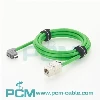
In modern wireless communication networks, AISG RET cables play an important role in remote electrical tilt (RET) antenna control systems. TSR 484 31 and TSR 484 21 are two common AISG cable models. During installation and maintenance, certain specifications need to be followed to ensure network stability and long-term use of equipment. This article will provide you with detailed installation and maintenance guidelines to help you use these two cables correctly.

Introduction to TSR 484 31 and TSR 484 21
TSR 484 31
- Type: AISG female to M12 4-pin male cable
- Main application: Connect AISG controllers and devices with M12 interfaces
- Applicable to base stations and remote antenna adjustment systems
TSR 484 21
- Type: AISG male to female extension cable
- Main application: Extend RET cables to achieve more flexible device layout
- Applicable to scenarios that require longer signal transmission distances
Installation Guide
1. Choose the right cable length
Before installation, make sure to choose the correct length of cable to reduce signal loss and wiring complexity. TSR 484 21 is suitable for extending existing AISG connections, while TSR 484 31 is mainly used for direct connection of specific devices.
2. Connection steps
- Check the interface: Make sure the device interface matches the cable and is free of dust or damage.
- Correct insertion: Align the anti-fool design of the interface and insert gently to avoid damage caused by excessive force.
- Tighten the lock: For interfaces with threaded locking (such as M12 connectors), make sure to tighten to prevent loosening.
- Fixed wiring: Use cable ties or cable troughs to organize cables to avoid hanging or excessive bending.
- Test connection: After completing the installation, test whether the signal transmission is stable.

Maintenance and Troubleshooting
1. Regular inspection and cleaning
- Regularly check the cables for wear, damage or loose connectors.
- Use a dry cloth to clean the interface to avoid moisture or dust.
2. Prevent external damage
- Keep away from high temperature and highly corrosive environments to prevent cable aging.
- Use waterproof connectors or protective boxes to enhance the durability of cables in outdoor environments.
3. Dealing with common problems
| Issue | Possible Cause | Solution |
|---|---|---|
| Unstable signal | Loose or damaged cable connection | Reconnect and check for cable damage |
| Device not recognized | Cable not fully inserted | Ensure full insertion and secure connection |
| Cable aging | Long-term exposure to harsh environment | Replace with a new cable and enhance protection |