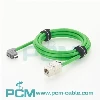
In today's rapidly developing technology, various interface technologies are also constantly emerging. FireWire and USB are common computer interfaces that have been popular in different fields. However, due to the differences between the two, attempts to convert FireWire to a USB interface often encounter some problems. This article will explore the main reasons why FireWire to USB conversion does not work, in order to help readers better understand this technical challenge.
Part 1: Basic Principles of FireWire and USB
Firstly, we need to understand the basic principles of FireWire and USB. FireWire, also known as IEEE 1394, is an interface technology used for high-speed data transmission, originally developed by Apple. It is widely used in audio, video devices, external hard drives, and other devices, known for its high-speed and stable data transmission. USB (Universal Serial Bus) is a universal, low-speed or high-speed data transmission interface standard widely used for connecting mice, keyboards, printers, mobile devices, and more. There are some important differences between FireWire and USB, which lead to the incompatibility issue of FireWire to USB.
Part 2: Differences in physical interfaces between FireWire and USB
FireWire and USB adopt different physical interface standards. FireWire uses a multi-core cable with transmission rates of 400Mbps, 800Mbps, or even higher. USB, on the other hand, uses a simpler four core cable, which typically has a transmission rate of 480Mbps (USB 2.0) or higher. The difference in physical interfaces leads to incompatibility of the connectors, so it is impossible to directly plug the FireWire plug into the USB port.
Part 3: Electrical Signal Differences
In addition to the differences in physical interfaces, there are also differences in electrical signals between FireWire and USB. FireWire uses differential signal transmission, which has stronger anti-interference ability and transmission distance, while USB uses single ended signal transmission, which is relatively simple but sensitive to interference. These differences result in a mismatch in the electrical characteristics of FireWire and USB, so a simple adapter cable cannot complete the conversion between the two.
Part 4: Protocol Differences
FireWire and USB also use different communication protocols. FireWire uses DMA (Direct Memory Access) technology, allowing devices to directly access computer memory for efficient data transfer. USB adopts a master-slave communication method, where the host controls the start and end of data transmission. The differences in these protocols prevent FireWire devices from directly connecting to the USB interface through a simple adapter cable, as the data transmission mechanisms between the two are completely different.
Part 5: Different power requirements
FireWire and USB also differ in terms of power supply. FireWire can provide high power to external devices, making it suitable for driving high-power devices such as cameras, audio interfaces, etc. However, USB has weaker power supply capability and is more suitable for driving low-power devices such as keyboards, mice, etc. Due to different power requirements, simply connecting FireWire to USB cable not only fails to complete data transmission, but may also cause device damage due to power mismatch.
In summary, the main reason why FireWire to USB does not work is due to the various differences between FireWire and USB. These differences include physical interfaces, electrical signals, communication protocols, and power requirements, making it difficult to achieve compatibility between the two with simple adapter cables. Therefore, if users want to connect FireWire devices to the USB interface, they need a specially designed converter or use other adaptation solutions. With the continuous progress of technology, more solutions may emerge in the future to solve the problem of FireWire to USB, allowing users to more conveniently enjoy the convenience brought by different interface technologies.