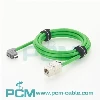
Whether you need to use a crossover cable to connect two Cisco switches depends on the specific switch model and interface features.
1. Modern switches (supporting Auto-MDIX)
Most modern Cisco switches support Auto-MDIX. This means that the switch ports can automatically detect the type of device connected and automatically adjust the send and receive lines. Therefore, even with a normal straight-through cable, the two switches can communicate normally without a crossover cable.
2. Older switches (not supporting Auto-MDIX)
For older switches that do not support Auto-MDIX, you need to use a crossover cable to connect the two switches. A crossover cable swaps the send (Tx) line with the receive (Rx) line, allowing normal communication between the devices.
How to determine whether a crossover cable is needed?
Check the switch specifications: Check the device manual or Cisco official information to confirm whether the port supports Auto-MDIX.
Test the connection: Try to connect the switch with a straight-through cable. If the connection fails, you may need to switch to a crossover cable.

You May Also Like

Smart Serial Crossover Cable CAB-SS-2626X

DB9 to RJ45 Console Cable

USB C Serial Console Cable

Smart Serial Cable Cisco ADA-SSC-GM

Smart Serial CAB-SS-X21MT X.21 Cable

Smart Serial 26 Pin to DB25 Router Cable