When it comes to extending USB, there are several methods available, each with its own advantages and considerations. Here are some of the most commonly used methods for extending USB connections:
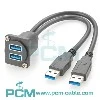
USB Extension Cables: USB extension cables are a simple and cost-effective way to extend USB connections. These cables typically have a standard USB-A connector on one end and a USB-A receptacle (female) on the other end, allowing you to connect your USB device to the extension cable. USB extension cables can be easily found in various lengths, ranging from a few feet to tens of feet. However, it's important to note that longer cables may result in signal degradation and limited power delivery, especially beyond 15 feet (5 meters).
USB Hubs: USB hubs are devices that allow you to connect multiple USB devices to a single USB port on your computer. They can also be used to extend the reach of USB connections. USB hubs come in various configurations, such as 4-port, 7-port, or even larger options. When using a USB hub for extension, you connect the hub to your computer and then connect your USB devices to the hub. However, it's important to consider the power requirements of your USB devices, as some power-hungry devices may not work properly when connected through a hub.
USB over Ethernet Extenders: USB over Ethernet extenders, also known as USB network extenders or USB over IP extenders, allow you to extend USB connections over long distances using Ethernet cables. These extenders consist of a local unit that connects to your computer's USB port and a remote unit that connects to the USB device. The two units are connected via Ethernet cables, allowing the USB signal to be transmitted over the network. USB over Ethernet extenders are useful for extending USB connections over hundreds of feet or even miles.
Wireless USB Extenders: Wireless USB extenders use radio frequency (RF) technology to transmit USB signals wirelessly between a transmitter and receiver. The transmitter is connected to the USB port of your computer, while the receiver is connected to the USB device. These extenders provide flexibility and convenience by eliminating the need for physical cables. However, the range of wireless USB extenders can vary, and they may be susceptible to interference from other wireless devices.
Fiber Optic USB Extenders: Fiber optic USB extenders use fiber optic cables to transmit USB signals over long distances. They are capable of extending USB connections over hundreds of meters without signal degradation. Fiber optic USB extenders are commonly used in industrial applications or situations where long-distance transmission is required. However, they tend to be more expensive compared to other options.
USB Repeaters: USB repeaters are devices that amplify and regenerate USB signals to overcome the limitations of cable length. They are typically used in conjunction with USB extension cables and can extend the reach of USB connections by boosting the signal along the cable. USB repeaters are available in various versions, supporting different USB specifications (e.g., USB 2.0, USB 3.0) and cable lengths.
When choosing the best method to extend USB, consider the following factors:
a. Distance: Determine the distance over which you need to extend the USB connection. Different methods have varying distance limitations.
b. Power Requirements: Some USB devices require sufficient power delivery. Ensure that the extension method you choose can adequately provide power to your devices.
c. Data Transfer Speed: If you require high-speed data transfer, such as for USB 3.0 or USB 3.1 devices, make sure the chosen method supports the desired USB specification.
d. Cost: Consider your budget and the cost-effectiveness of the chosen method. Some options may be more affordable than others.
e. Environmental Considerations: Depending on the environment where the extended USB connection will be used, factors like electromagnetic interference, temperature, and humidity may need to be taken into account.
Ultimately, the best method to extend USB will depend on your specific needs, budget, and the distance over which you need to extend the connection. Assessing these factors will help you determine the most suitable solution for your requirements.