

When troubleshooting the M8 Splitter, you can follow these steps:
Check the connections:
- Make sure all the connections of the M8 Splitter are secure and not loose.
- Check the connection wires to see if they are intact and not worn or broken.
Confirm the power supply:
- Verify that the power supply is working properly and make sure that the M8 Splitter is receiving enough power.
- Use a multimeter to check if the power supply voltage meets the device specifications.
Check the signal source:
- Make sure that the signal source output is normal. Try to use other devices to test if there is a problem with the signal source.
- Check if the connection between the signal source and the M8 Splitter is correct.
Test the output:
- Use a measurement tool such as an oscilloscope or multimeter to check if the signal at each output is normal.
- Make sure that each output has the expected signal strength and quality.
Check the device specifications:
- Confirm that the specifications and configuration of the M8 Splitter match the system requirements.
- Check the product manual or technical documentation to ensure that all parameters are set correctly.
Eliminate interference:
- Make sure that the environment where the M8 Splitter is located does not have excessive electromagnetic interference.
- Check if there are other devices or lines interfering with the signal.
Replace components:
- If the above checks do not solve the problem, try replacing the M8 Splitter or related connecting cables to see if the problem is solved.
These steps can help you systematically troubleshoot M8 Splitter problems and find the cause of the problem.

You May Also Like

Minifast 7/8"-16UNF Tee h Y Splitter

Minifast 7/8"-16UNF MPIS Distribution Box

DeviceNet Cables And Adapters

M12 Tee h Y Splitter

NMEA2000 Tee Connectors
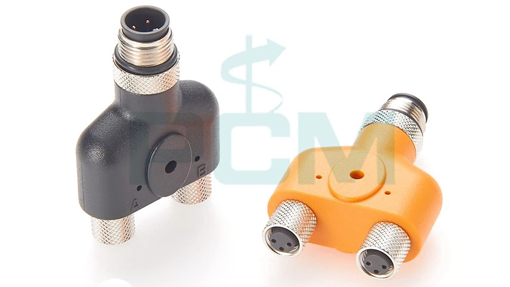
Sensor Splitter M8 Splitter



