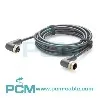
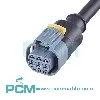
With the continuous progress of technology, computer interfaces are also constantly evolving, with FireWire and USB being two common interface standards. However, many users may be curious whether it is possible to plug the FireWire plug into a USB interface or use a converter for adaptation? This article will explore the differences between these two interfaces, evaluate their compatibility, and introduce possible conversion techniques.
FireWire (also known as IEEE 1394) and USB (Universal Serial Bus) are two different types of interfaces used to connect external devices. FireWire was originally launched by Apple for high-speed data transmission and is particularly suitable for audio and video devices. The USB interface was introduced by Intel and was initially used to connect low-speed devices such as keyboards and mice, but later developed into a general-purpose interface with higher speeds. Although they are all interfaces for connecting external devices, they have significant differences in electrical characteristics and data transmission protocols, so they cannot be directly plugged and unplugged from each other.
1、 Differences between FireWire and USB
Electrical characteristics:
FireWire and USB have significant differences in electrical characteristics. FireWire uses differential signal transmission to achieve fast data transmission and stability, while also providing power to external devices. The USB interface adopts different versions of technology, such as USB 1.1, USB 2.0, USB 3.0, and USB 3.1, among which USB 3.0 and above support ultra high speed transmission and higher power output. Due to differences in electrical characteristics, the pin distribution and signal transmission method of the FireWire plug and USB interface do not match, so it cannot be directly inserted.
Data transmission protocol:
FireWire and USB use different data transfer protocols. FireWire supports data transmission in a peer-to-peer or multi-point manner, with low latency for audio and video data and real-time transmission. The USB interface is based on a master-slave structure, where the host controls the data transmission of all slave devices, making it suitable for connecting a large number of low bandwidth devices.
Physical shape:
There are also significant differences in appearance between FireWire and USB plugs. FireWire typically uses larger rectangular plugs, while USB interfaces come in various types, such as USB-A, USB-B, USB-C, etc., with varying shapes. These physical differences are also one of the reasons why FireWire plugs cannot be plugged into USB ports.
2、 The possibility of transferring FireWire to USB
Although FireWire plugs cannot be directly inserted into the USB interface, it is possible to connect FireWire devices to the USB interface through conversion technology in certain specific situations. The following are several conversion techniques:
Conversion adapter:
There are some FireWire to USB conversion adapters available on the market. These adapters can convert FireWire signals into USB signals, allowing FireWire devices to connect to USB interfaces. However, it should be noted that the conversion process may result in some performance losses, especially in terms of data transmission rate and real-time performance.
Bridge chip:
Some device manufacturers integrate FireWire and USB dual interfaces in their products. These devices are equipped with bridge chips internally, allowing the FireWire interface and USB interface to work simultaneously. Users can choose whether to use FireWire or USB connections based on their actual situation.
Pre installed conversion technology:
Some specific devices may already be pre loaded with conversion technology, so they can be connected directly through a USB interface. Such devices usually clearly indicate the type of interface they support in the product specifications, and users should pay attention to this information before purchasing.
Although FireWire and USB are both interfaces used to connect external devices, they have significant differences in electrical characteristics, data transfer protocols, and physical shapes, and therefore cannot be directly compatible. Users should not attempt to directly plug the FireWire plug into the USB interface to avoid damaging the device. If you need to connect a FireWire device to a USB interface, you can look for a specific conversion adapter or device, but be aware that there may be performance loss. Overall, selecting the appropriate interface and device remains the key to ensuring the normal operation of the device and stable data transmission.

Aug 08, 2023
Leave a message
FireWire plugged into USB? Exploring compatibility and conversion techniques for different interfaces
Send Inquiry