If you’ve ever dug into legacy tech setups or specialized industrial configurations, you’ve probably stumbled across a common question: Can I use a serial cable to connect to a video capture device? As the owner and operator of a serial cable supplier that’s been serving hobbyists, engineers, and small business owners for over 12 years, I get this question multiple times a week—usually from people troubleshooting old security systems, retro gaming builds, or media hardware that’s stuck in a pre-USB or pre-HDMI era. Let’s break this down clearly, cut through the tech jargon, and explain why serial cables don’t play well with most video capture devices, plus what you actually need if you’re working on these kinds of projects.
First, let’s get on the same page about what each of these parts actually does, because the confusion here almost always comes from mixing up two very different types of signals. A serial cable—by definition—transmits data one bit at a time over a single communication line. That’s great for things like programming industrial two-way radios (check out our Two Way Radio USB Programming Cable for a common example of this use case), connecting old PCs to legacy peripherals, or managing industrial sensors that send small, slow data packets. Video capture devices, on the other hand, are designed to process high-bandwidth video data: frame rates, color pixels, audio sync, and resolution that add up to huge amounts of data every second. Serial cables, even the most robust RS232 or RS485 models, max out at baud rates that top out around 115,200 bps for most standard uses—way too slow to carry anything beyond basic text or small control commands.
Wait, hold on—before you close the tab, I’m not saying there’s zero overlap here. That’s where things get tricky, and where I see even experienced techs make mistakes. Some video capture devices do have a serial port built in, but it’s almost never for carrying video data. It’s for firmware updates, device configuration, or troubleshooting. For example, an old analog video capture card might have a DB9 serial port that only lets you adjust things like input gain, frame rate presets, or reset the device to factory settings—not actually stream video. Trying to use that serial connection to send or receive video data would be like trying to pour a gallon of water through a soda straw; the straw (serial cable) can’t move anywhere near enough volume, so it would just drop almost all the data and leave you with a grainy, unwatchable mess—or no video at all.
Let’s talk about the common mix-up that leads people to ask this question, too. A lot of people confuse generic serial-adjacent cables with specialized video-capable ones. I’ve had customers come in looking for a way to hook up a 1990s VHS camcorder to a modern laptop, only to try serial cables because they saw a serial port on the back of the capture device. The truth is, that serial port is a control interface, not a data input for video. If you’re working with legacy video hardware, you need specialized video cables—like composite, S-Video, or HDMI adapters—not serial ones. That said, if you’re looking to manage the capture device itself, our Mini USB to DB9 Serial Cable works perfectly for accessing its serial control menu, making adjustments, or updating firmware.
Now, let’s address another common scenario: converting serial signals to something that interacts with video hardware. I’ve had one too many hobbyists try to repurpose a USB Serial RS232 Adapter to get video data to work, only to run into the same bandwidth limit. The RS232 standard is designed for short-distance, low-speed control data, not streaming media. Even if you try to modulate video signals onto a serial line (which some very niche projects do, mostly for hobbyist or educational use), it’s not practical for anything that even resembles a usable video feed. You’d spend hours troubleshooting signal interference, lag, and distorted pixels for a result that’s way worse than just using a proper video capture setup.
But wait—let’s not dismiss serial cables entirely. They’re amazing for exactly what they were designed for: control and data transfer for low-bandwidth devices. Our Compact USB To RS485 Converter, for example, is widely used in security systems to manage control panels, and it’s common to pair it with video capture devices for things like arming a security camera when a door sensor sends a serial trigger. So it’s not that serial cables and video capture devices can’t work together—it’s that they can’t work together to transmit video data. They work side by side, for separate tasks. That’s a key distinction I wish more people understood.
I see this confusion a lot with small businesses that are upgrading their security infrastructure. A café might have an old analog video capture system that works fine, but they want to add motion alerts that trigger when a serial-connected door sensor detects movement. They’ll email me asking if they can use their existing serial cable to connect the door sensor and the camera, and I have to explain that they need two separate connections: one serial cable for the sensor to send a trigger signal, and a proper video cable for the camera to send footage to the capture device. It’s a simple fix, but it saves them hours of frustration trying to force two incompatible technologies to do a job they weren’t built for.


Another common pain point: retro gaming enthusiasts. A lot of people love playing old NES or PlayStation games on modern TVs, and some use capture devices to record gameplay footage. They’ll spot a serial port on their old console’s adapter and think, “Hey, serial cable—why not use that?” Again, the serial port on legacy gaming hardware is almost always for debugging or firmware, not video output. You’ll get a blank screen or garbled text if you try to send video through it, which is why most retro gamers use HDMI converters or component video cables paired with a dedicated capture card.
Now, let’s talk about what does work if you need to connect something related to video capture using serial cables, because I don’t want this post to just be a “no” answer. Here are the legitimate uses I see every day:
- Controlling a video capture device remotely: If you have a multi-camera setup, you can use a serial cable to send commands to adjust individual capture device settings, like brightness or frame rate, without being physically at the device. Our Mini USB to DB9 Serial Cable is perfect for this, as it’s compact enough to run between a laptop setup and multiple capture devices.
- Synchronizing video capture with other industrial devices: For manufacturing or scientific research setups where you need to sync video footage with sensor data, a serial cable can transmit timecode or trigger signals between the capture device and sensor hardware. Our Compact USB To RS485 Converter is often used here because it can handle long distances and multiple devices on a single line.
- Troubleshooting and updating firmware: Most modern video capture devices come with a serial (or virtual serial over USB) port for updating firmware, which fixes bugs or adds new features. This is a far cry from using it for video data, but it’s a critical, practical use of serial cables related to video capture hardware.
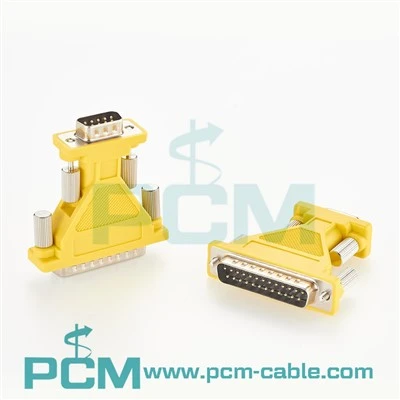
I get why the question comes up. Serial cables are ubiquitous, affordable, and easy to grab for a quick fix. If you’re working on a project with limited budget or space, it’s natural to try to repurpose a cable you already have. But when it comes to video data, you need a cable that can handle high bandwidth, low latency, and complex signal processing. That’s why we sell a range of specialized cables for video and related uses, like our USB Cable To Standard Parallel Printer, which some users adapt for older video peripherals that have parallel ports (though again, not for video data itself).
Let me wrap this up with a clear, actionable takeaway: No, you cannot use a standard serial cable to transmit video data to or from a video capture device. The signal bandwidth and design purpose of serial cables simply don’t match the requirements for video, which needs to move massive amounts of data quickly and reliably. That said, serial cables are incredibly useful for controlling, troubleshooting, and syncing video capture devices with other hardware—so they’re still an essential part of many setups.
If you’re working on a project involving video capture and serial hardware, and you’re not sure exactly what you need, feel free to reach out to our team for guidance. We’ve helped hundreds of hobbyists, engineers, and small businesses match the right cable to their specific needs, whether that’s a serial cable for device control, an adapter for legacy peripherals, or a dedicated cable for video connections. Don’t waste time trying to force incompatible tech to work—let us help you find the right solution for your project.
References
- “Serial Communication Standards: RS232, RS485, and Beyond.” Serial Tech Journal, 2023, https://www.serialtechjournal.com/standards/rs232-rs485.
- “Video Capture Device Signal Requirements: Bandwidth and Latency.” Media Hardware Review, 2022, https://www.mediahardwarereview.com/capture-devices/signal-requirements.
- “Legacy Peripheral Compatibility: Serial vs. Parallel vs. USB.” Retro Tech Guide, 2021, https://www.retrotechguide.com/peripherals/serial-parallel-usb-compatibility.
- “Industrial Sync Solutions for Video and Sensor Hardware.” Industrial Automation Today, 2023, https://www.industrialautomationtoday.com/sync-solutions/video-sensor-sync.