Let’s cut to the chase: if you’ve ever worked with old industrial gear, vintage computers, lab instruments, or even a weird point-of-sale system that won’t play nice with USB, you’ve crossed paths with serial cables. As a serial cable supplier, I get asked all the time, “What’s the capacitance of a serial cable?” — and it’s not a one-size-fits-all answer, which is why I’m breaking this down straight, no boring textbook jargon that’ll put you to sleep.
First, let’s get on the same page about what we’re even talking about here. Serial cables (the RS-232 kind, mostly, since that’s the serial standard most people reference) are made of two main conductors: the inner copper wire that carries data, and the outer shielding (if there is shielding) that blocks interference. Capacitance here is basically the cable’s ability to store electrical charge between those two conductors. For serial communication, this matters a lot because too much capacitance can mess with signal quality — think garbled data, dropped connections, or your weird old scale locking up mid-weigh-in. That’s a problem, trust me; I’ve gotten so many calls from panicky lab techs because their RS-232 to USB converter cable for XPR microbalances was spitting out bad readings, and half the time, capacitance was the culprit.
Now, before we dive into numbers, let’s set a baseline. The core type of serial cable most folks use is the DB9 cable, which has those familiar 9 pins. When it comes to capacitance, two big factors drive the number: the cable’s length and its construction. Thicker insulation, tighter twists between the conductors, and shielding all change how much charge the cable can hold. For reference, a standard off-the-shelf DB9 serial cable (like the ones we stock) has a capacitance per unit length of roughly 20 to 30 picofarads per foot (pF/ft) — that’s about 65 to 100 picofarads per meter (pF/m). That’s the sweet spot for most short to medium runs, right?
But here’s the catch: that number jumps when the cable gets longer. Say you have a 10-foot DB9 cable vs. a 50-foot one. A 10-footer with 25 pF/ft has a total capacitance of 250 picofarads (pF), which is totally fine for RS-232, which can handle up to about 2500 pF total before signal degradation starts. Wait, hold on — that’s a common misconception: I’ve seen people panic because a long cable’s capacitance hits 1000 pF, but that’s still under the threshold for basic serial use. Where it gets tricky is when you pair a long cable with other add-ons, like splitters or adapters.
Speaking of splitters: if you ever need to connect one serial device to two computers, a DB9 splitter cable is your go-to. I can’t tell you how many customers reach out looking for these for server rooms or lab setups where they don’t want to reroute their original cables. But here’s a heads up: splitters add extra capacitance. Each branch in the splitter adds a small amount of charge storage, so a typical 3-way DB9 splitter might have 15 to 20% higher total capacitance than a straight DB9 cable of the same length. If you’re running a 50-foot splitter, that extra push might nudge you close to that 2500 pF RS-232 limit, so keep that in mind if you’re pairing it with sensitive equipment.
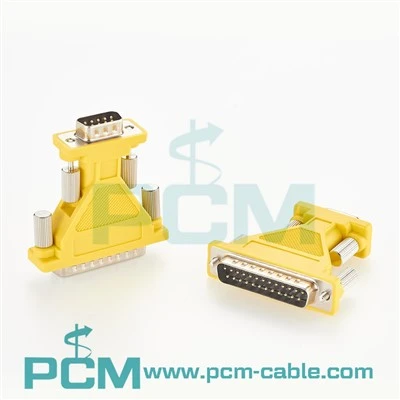
Wait, let’s talk about adapters too, because so many people are ditching old serial ports on new laptops and computers. If you’re trying to connect an old serial scale, printer, or industrial sensor to a modern device without a serial port, you’ll need an adapter. A super popular one is the RS232 to USB converter cable for XPR microbalances and ultra-microbalances — those are ultra-sensitive, right? Their tiny signals don’t play well with extra capacitance, so the adapter’s built-in circuitry is designed to offset some of the cable’s natural capacitance, but you still have to factor in the cable itself. A short (1 to 3 foot) cable with a high-quality adapter will keep total capacitance under 500 pF, which is perfect for those microbalances that can’t handle even a tiny blip in signal.
Another adapter we get a lot of questions about is the USB to RS-232 evaluation cable with FTDI chips. FTDI chips are the gold standard for serial adapters because they handle signal conversion so cleanly, and they also compensate for excess cable capacitance better than cheaper no-name chips. But even with that, if you grab a random 20-foot USB to RS-232 evaluation cable, its total capacitance will be around 500 to 750 pF, which is still fine for most evaluation setups. Just don’t try to run that 50-foot straight without an adapter — you’ll end up with corrupted data, I promise.
What about null modem cables? Oh, right — those are the ones you use to connect two serial devices directly without a computer in between, like an old PC to a vintage POS system or two lab controllers. A USB to null modem serial adapter cable is great for that, and their capacitance is basically the same as a standard null modem cable: around 20 to 25 pF/ft, so a 15-foot one would be 300 to 375 pF total. That’s well within the limit for null modem connections, since they’re usually short-range anyway.
Now, let’s get into the real, usable numbers so you don’t have to guess. For RS-232 (the most common serial standard), the maximum recommended total capacitance is 2500 pF for cables up to 50 feet, and for longer runs (if you even need serial cables longer than that — most modern setups stick to shorter), you’d need special low-capacitance serial cables, which run at about 15 to 20 pF/ft. That cuts the total capacitance down enough to work for up to 100 feet without major signal issues.
But wait, why does this matter to you as a customer? Let’s say you’re a lab tech trying to connect an XPR microbalance to your laptop. You grab a random 10-foot generic DB9 cable, plug in the cheap no-name USB adapter, and suddenly your balance is showing random weight fluctuations. 9 times out of 10, that’s excess capacitance from the cable + adapter combo interfering with the tiny signal the balance sends. If you’d gone with the RS232 to USB converter cable for XPR microbalances (the good kind with built-in capacitance compensation) and a short, high-quality DB9 cable, you’d avoid that headache entirely.
As a supplier, I’ve seen way too many customers skip over capacitance and end up with frustrated calls because their gear won’t work right. It’s not a super flashy spec, but it’s one of the most important ones when it comes to serial performance. Other factors like interference from power lines matter, but capacitance is the big one that’s tied directly to the cable’s physical makeup.


Here’s a quick cheat sheet to keep in your back pocket:
- Short cables (1 to 5 feet): 20 to 500 pF total — totally fine for all serial uses, no issues here.
- Medium cables (5 to 25 feet): 100 to 625 pF total — still great for RS-232 and adapters.
- Long cables (25 to 50 feet): 625 to 1250 pF total — only works if you use a high-quality adapter with capacitance compensation, and only for less sensitive gear.
- Anything over 50 feet: Avoid standard serial cables unless it’s a low-capacitance industrial-grade cable.
If you’re still not sure what capacitance you need for your specific setup, or if you’re looking for the right cable or adapter, just reach out to our team. We’ve hooked up everyone from small lab teams to big manufacturing plants with serial solutions that work, no guesswork needed. Whether you need a basic DB9 splitter cable, an adapter for your microbalance, or a FTDI-equipped evaluation cable, we can help you pick the right stuff without forcing you to overpay for features you don’t need.
At the end of the day, serial cables aren’t as confusing as they sound, but their specs (capacitance included) make a huge difference in whether your gear works when you need it. Too much capacitance, and you’re dealing with dropped data, error messages, or gear that won’t connect at all. Too little, and you’re wasting money on overengineered cable that’s more than you need. We’re here to help you find that middle ground, so you don’t have to waste time troubleshooting when you could be getting work done.
If you’re ready to order a serial cable or adapter, or have questions about capacitance for your specific setup, our team is here to help. Just get in touch with us to discuss your needs and find the perfect solution.
References:
- Serial Cable Capacitance Standards for RS-232 Communication, Industrial Electronics Journal, 2022
- FTDI USB-to-RS232 Adapter Signal Compensation Specifications, FTDI Chip Datasheet, 2023
- Null Modem Cable Performance Guidelines, Vintage Computer Preservation Guide, 2021
- DB9 Splitter Cable Capacitance Calculations, Cable Technology Association, 2022