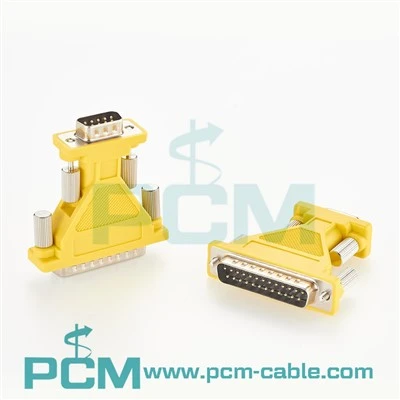
Hey there, ever stared at a serial adapter cable and wondered what all those colored wires inside are actually for? I’ve been in the serial adapter game for years, answering this exact question from electricians, factory techs, hobbyists building IoT projects, and even old-school IT folks dusting off legacy systems. Spoiler: it’s not random color coding—there’s a method to the (wired) madness. Let’s break it down, no jargon overload, and tie it to the stuff we actually sell here.
First off, let’s keep this simple: serial adapters (like our USB To RS485 RS422 Converter, or that trusty DB25 Male to DB9 Male D-Sub RS232 Serial Adapter everyone uses for old PLCs) rely on color coding for two big reasons: making installs faster, and cutting down on wiring mistakes that mess up comms. If you’ve ever had a machine refuse to talk just because you swapped two wires, you know this matters way more than it sounds.
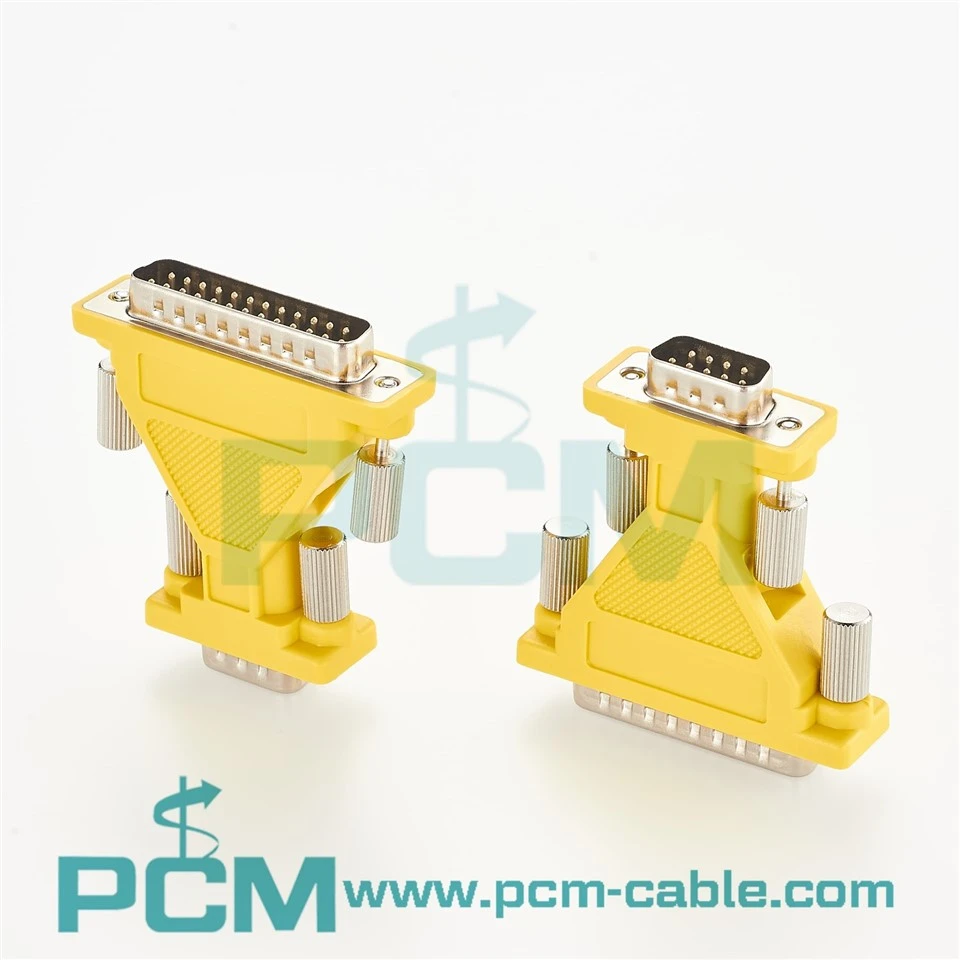
Let’s start with the OG: RS232, the grandpa of serial comms. It’s been around since the 60s, so its color coding is pretty standard across almost all adapters. The most common connectors here are DB9 (the tiny D-sub 9-pin one) and DB25 (the bigger, chunkier one). For DB9 RS232 cables, you’ll almost always see this: Pin 1 is white, Pin 2 is green, Pin 3 is red, Pin 4 is black, Pin 5 is brown, Pin 6 is yellow, Pin 7 is orange, Pin 8 is blue, Pin 9 is purple. Wait, and Pin 5 is ground—super important, that’s your reference for voltage. If you pick up our DB25 Male to DB9 Male D-Sub RS232 Serial Adapter, the color map matches up too, so you don’t have to hunt for a pinout chart at 2AM when a line goes down.
RS485 is the next big one, used a ton in industrial settings because it can go way longer distances (like thousands of feet!) than RS232. Here’s where color coding gets even more consistent because it’s regulated for industrial use—no guessing games. RS485 has two main data lines: A and B, plus ground, sometimes a shield. Standard color coding for RS485 is: A is usually green, B is red, ground is black, shield is bare copper or yellow. For RS422 (which is just RS485 with extra lines for full-duplex comms), you add blue for the other A, yellow for the other B, and same ground rule. That’s why our Industrial USB To RS485 Converter comes with labeled wires that follow this exact scheme—we’ve had way too many customers mess up comms because they swapped A and B, so we built the color code right in.
Wait, what about adapters that hook up to terminal blocks? Like our DB9 To Terminal Block 5 Pin Passive Adapter? Terminal blocks are popular for hardwiring to PLCs, sensors, or other industrial gear, so color coding is a lifesaver here too. For those 5-pin RS232 terminal blocks, it’s the same DB9 color code mapped straight to the terminal pins: Pin 2 (RX) is green, Pin 3 (TX) is red, Pin 5 (GND) is black, and so on. No need to cross-reference a pinout every time—just match the color, and you’re good to go.
Let’s talk about the USB side of things too, because most people now are using USB-to-serial adapters instead of the old PC serial ports. Our USB Serial RS232 Adapter has a USB A or micro USB connector on one end, and a serial connector on the other. The USB side follows the standard USB color code, too—wait, hold on, did I forget to mention USB wires? Yeah, USB has its own color coding for power and data: Red is +5V, Black is GND, Green is Data-, White is Data+. So if you’re ever crimping your own cable (no judgment, we’ve all been there), that’s the standard you need to follow. But when you buy an adapter from us, we do that crimping right, so you don’t have to.

Now, why does this all matter? I’ve had customers call me at 7AM on a Monday saying their new machine isn’t talking to their HMI. 9 times out of 10, they swapped A and B on their RS485 cable, or mixed up TX and RX on their RS232. Color coding eliminates that. It’s a universal language—any electrician, any tech, can grab a serial adapter and wire it up without needing a cheat sheet, because the colors mean the same thing across every reputable manufacturer.
Wait, quick caveat: not every cable follows this exactly, especially cheap no-name ones you might find on Amazon. We’ve tested some cheap RS485 adapters where A was blue and B was red, which is backwards. That’s why we use a standardized color code across all our adapters, so when you order a USB To RS485 RS422 Converter, you know exactly what each color does, no surprises. We also print little labels on the connectors with pin numbers, just to double up on that clarity.
Another example: if you’re wiring a DB9 to terminal block for a sensor, our DB9 To Terminal Block 5 Pin Passive Adapter has the DB9 side colored exactly like the standard, so you just match the color on the terminal block to the color on the adapter. No more holding a phone to look up pinouts while you’re on a ladder.
Let’s wrap this up with a quick cheat sheet I keep taped to my desk, just in case:
- RS232 DB9: Pin1=White, Pin2=Green, Pin3=Red, Pin4=Black, Pin5=Brown (GND), Pin6=Yellow, Pin7=Orange, Pin8=Blue, Pin9=Purple
- RS485/RS422: A=Green, B=Red, GND=Black, Shield=Yellow/Bare
- USB: Red=+5V, Black=GND, Green=Data-, White=Data+
If you’re shopping around for serial adapters, don’t sleep on color coding. It’s not a fancy marketing trick—it’s a practical, time-saving feature that prevents a ton of headaches. All our adapters (the USB To RS485 RS422 Converter, the DB25 Male to DB9 Male D-Sub RS232 Serial Adapter, the USB Serial RS232 Adapter, the DB9 To Terminal Block 5 Pin Passive Adapter, and the Industrial USB To RS485 Converter) all follow this standard color coding, because we’ve seen firsthand what happens when you skip that.
Got questions about which adapter works for your setup, or need help wiring one up? Hit us up to chat, no pressure—we’re serial adapter people, we love geeking out over this stuff and making sure your comms work right.
References
Serial Communications Color Coding Standards. (n.d.). Telecommunications Industry Association.
RS485 Wiring and Color Code Guidelines. (2021). Industrial Ethernet Book.
USB Cable Color Coding Specifications. (2022). USB Implementers Forum.
RS232 Connector Pinout and Color Mapping. (n.d.). Electronics Hub.