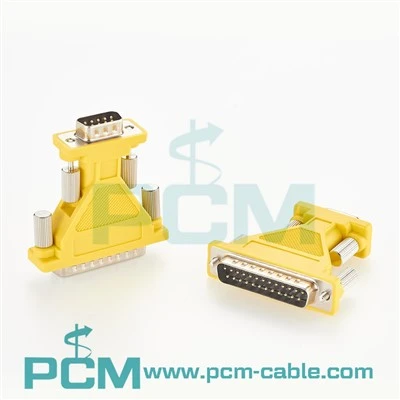
Hey there! As a serial cable supplier, I've gotten tons of questions about converting a serial cable connection to a USB connection. It's a pretty common issue, especially with the way technology has been evolving. A lot of the newer devices out there don't have serial ports, but they've got plenty of USB ports. So, if you've got some older equipment that uses serial cables and you want to hook it up to a modern device, you're in the right place.
First off, let's talk about why you might want to make this conversion. Serial cables were the go - to for a long time when it came to connecting devices. They were reliable and worked well for a variety of applications, like connecting printers, modems, and industrial equipment. But as technology advanced, USB ports became the standard. USB is faster, more versatile, and most devices these days come with multiple USB ports. So, if you want to use your old serial - based device with a new computer or other modern gadget, you'll need to convert that serial connection.
There are a few different ways to tackle this conversion. One of the most popular methods is by using a serial to USB adapter. These adapters are pretty straightforward to use. You plug one end of the adapter into the serial port of your device, and the other end into a USB port on your computer or whatever modern device you're using. They're usually plug - and - play, which means you don't have to do a whole lot of setup. Once you plug it in, your computer should recognize the device connected via the serial cable as if it were directly connected through USB.
Another option is to use a PCI Express card. These cards are installed inside your computer. If you've got a desktop computer, it's a great solution. You can get a PCI Express Card Serial Cable which allows you to add serial ports to your computer. This is useful if you have multiple serial devices that you want to connect. You can install the card in your computer's PCI Express slot, and then connect your serial cables to the ports on the card. The card will then communicate with your computer via USB, effectively converting the serial connection to a USB - based one.
When it comes to choosing the right adapter or card, there are a few things you need to consider. First, you need to make sure that the adapter or card is compatible with your devices. Check the specifications of your serial device and your computer or other modern device to see what kind of ports and protocols they support. For example, some serial devices use specific baud rates, which is the speed at which data is transmitted. Make sure the adapter or card you choose can handle the baud rate of your serial device.
You also need to think about the number of serial devices you want to connect. If you only have one serial device, a simple serial to USB adapter might be all you need. But if you have multiple serial devices, you might want to look into something like the USB To DB44 Serial PCIe Card Octopus Cable. This cable allows you to connect multiple serial devices to your computer through a single USB connection. It's like an octopus, with multiple arms (or ports) to connect your devices.
The USB To DB37 PCIe Card Cable is another option, especially if your serial devices use a DB37 connector. This cable can convert the DB37 serial connection to a USB connection, allowing you to connect your device to a modern computer.
Let's talk a bit about the installation process. If you're using a serial to USB adapter, as I mentioned earlier, it's usually plug - and - play. Just plug it in, and your computer should recognize it. However, sometimes you might need to install drivers. Drivers are like little programs that help your computer communicate with the adapter. Usually, you can find the drivers on the manufacturer's website. Just download them, run the installation program, and you should be good to go.
If you're installing a PCI Express card, it's a bit more involved. You'll need to open up your computer case, which can be a bit intimidating if you're not used to working with computers. But don't worry, it's not too difficult. First, make sure your computer is turned off and unplugged. Then, find an available PCI Express slot in your computer. Remove the metal bracket from the back of the case that corresponds to the slot. Insert the PCI Express card into the slot, making sure it's firmly seated. Then, replace the metal bracket and screw it in place. Close up the computer case, plug in your computer, and turn it on. Your computer should detect the new card, and you might need to install drivers for it as well.
Once you've got everything installed and set up, you should be able to use your serial device as if it were directly connected via USB. You can transfer data, control the device, and do whatever you need to do with it.


Now, if you're having any trouble with the conversion process, don't worry. There are plenty of resources available online. You can check the manufacturer's website for troubleshooting guides, or you can search for forums where other people have shared their experiences. You can also reach out to us as your serial cable supplier. We've got a team of experts who can help you with any issues you might encounter.
In conclusion, converting a serial cable connection to a USB connection is definitely doable. Whether you choose a simple serial to USB adapter or a more advanced PCI Express card, there are options available that will suit your needs. And if you're in the market for these products, we've got a wide range of high - quality serial cables, adapters, and cards. If you're interested in purchasing any of our products or have any questions about the conversion process, feel free to get in touch with us. We're here to help you make the transition as smooth as possible.
References
- General knowledge about serial and USB connections in the electronics industry.
- Manufacturer specifications of serial to USB adapters and PCI Express cards.