Hey everyone, it’s Mia from the Snake Cables team here. If you’ve ever messed around with audio setups—whether you’re a bedroom producer, a live sound tech, or just someone who’s tired of untangling a million XLR cables mid-gig—you’ve probably wondered: Can snake cables even work with audio interfaces? And honestly, I get it. A lot of folks mix up what a snake cable does vs. an audio interface, so I’m breaking this down without all the tech jargon. Spoiler: The answer is yes, but it depends on which snake cable you grab, and how you hook it up.
First, let’s do a quick refresh for anyone who’s new. Audio interfaces are the heart of your home studio or small rig—they turn analog sound (from mics, instruments, synths) into digital stuff your computer can process, and vice versa. Most have a handful of XLR/TRS combo inputs/ outputs, maybe a few RCA connections. Snake cables? They’re not just the big, heavy stage ones with 16 XLRs running to a mixing board—we’ve got compact, studio-focused versions too, made specifically for smaller setups. The key here is matching the snake’s connectors to what your interface has, and knowing how each cable type plays nice with interface specs.
A lot of first-time mistakes happen when people grab a random snake and plug it straight into their interface’s XLR ports. Wait—XLR is common on snakes, but most audio interfaces have combo jacks that handle XLR and TRS, but snakes aren’t always built for that. That’s where our RJ45 to XLR cables come in, like the RJ45 To XLR Cable 4 Channel we make. Why RJ45? That’s the same connector as Ethernet, but for audio snakes, it lets you run multiple channels over a single, flexible cable instead of four separate XLRs. For interfaces that don’t have a ton of XLR inputs, this is a game-changer—you can plug the RJ45 end into a small breakout box that’s designed to work with your interface, and the four XLR ends go straight to your mics or instruments. No messy, tangled runs, and you save so much desk space.
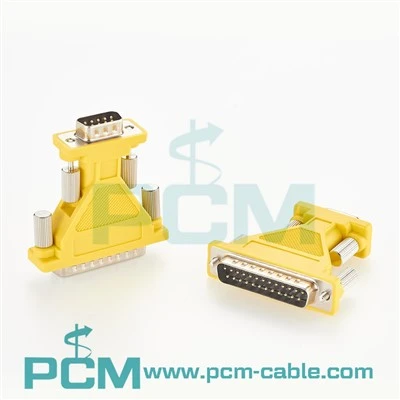
But hold up—RJ45 isn’t the only connector you’ll see. If your interface has a DB25 port (that big, 25-pin sub-D connector), we’ve got you covered too. Our Multicore analog snake cable Gold DB25 Sub-D High fidelity is made for that exact scenario. A lot of pro-level audio interfaces, even compact ones, use DB25 to connect to external preamps or patch bays, so this snake turns those 25 pins into 8 balanced TRS or XLR channels. That means you can run drums, synths, and mics all from a single cable to your interface, instead of hooking up a dozen patch cables. The gold plating on these isn’t just for looks—it cuts down on signal loss and interference, which is huge for high-fidelity audio, especially if you’re recording close-mic’d drums where even a tiny hum can ruin a take.
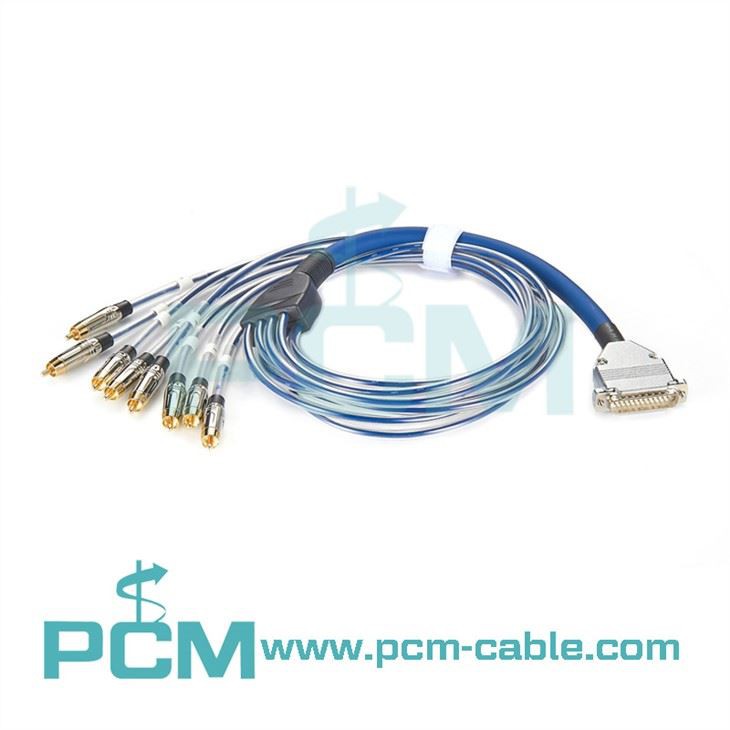
Wait, what if you’re dealing with RCA connections? Like, if you have old gear—turntables, CD players, or some vintage synths—that only has RCA outputs? Our 8 Channel RCA To DB25 Snake is built to connect those RCA outputs to your interface’s DB25 port. No need for a bunch of adapters here—this snake is pre-wired to map each RCA channel to a pin on the DB25, so plug-and-play is basically guaranteed. I’ve seen so many producers with vintage rigs struggle with this, so this cable’s a lifesaver for bridging old and new gear without losing signal quality.
Now, let’s talk about a common question: Do you need a patch snake vs. a stage snake here? A lot of people think all snakes are heavy, but our Analog DB25/TRS Patch Snake is designed specifically for studio patch bays and small interface setups. It’s shorter (we do 1m, 2m, and 3m lengths) and more flexible than a stage snake, so it won’t take up half your desk. If you’re patching between your interface and a rack of outboard gear or a patch bay, this is exactly what you need—no extra bulk, just reliable, balanced connections that handle high audio levels without distortion.
Wait, what if you’re working with a smaller interface that only has 2-4 XLR inputs, and you don’t need DB25 or RCA? Our 4-Channel Audio Snake RJ45 Female to XLR 2Males to 2Females is perfect here. It’s compact enough to tuck into a laptop bag if you’re moving between a home studio and a rehearsal space, and it’s pre-configured with two male XLRs for inputs (to plug mics/instruments) and two female XLRs for outputs (to send audio to monitors or a small mixer). A lot of people think a 4-channel snake is too small, but for home producers, that’s all you need for a drum kit’s mics, a bass, and a vocal—no overcomplicating it.
But let’s get real—this only works if you’re setting it up correctly. Here’s the mistake I see people make all the time: They plug an RJ45 snake straight into their laptop’s Ethernet port and wonder why nothing works. RJ45 audio snakes aren’t for network ports—they pair with a breakout box that’s compatible with your interface. Most audio interfaces that support RJ45 snakes have a dedicated “SPDIF” or “ADAT” optical port that works with a breakout, but for analog channels, you’ll need a balanced breakout to match your snake’s XLR/TRS connectors. Always check your interface’s specs first—if it doesn’t have an external expansion port for snakes, you might need an adapter, but that’s usually a quick add-on that’s easy to find.
Another thing: Unbalanced vs. balanced connections. Most snakes we make are balanced, which is non-negotiable for audio interfaces. Unbalanced cables (like basic RCA patch cords) can pick up hum from your computer or power outlets, especially over longer runs. Our gold-plated DB25 and RJ45 snakes are balanced, so they shield your signal from that interference—big deal if you’re recording quiet instruments like acoustic guitar or vocals, where even a tiny hum is noticeable.
I should also mention that snake cables aren’t just for recording. If you’re doing a small live gig—like a house show or a coffee shop set—you can use a compact snake to run your mics, a guitar, and a keyboard straight from your setup to the interface (which might be connected to a laptop for streaming or recording). No more running a mess of cables across the floor, tripping over cords mid-set. We’ve had a lot of gigging musicians tell us these small snakes cut their setup time in half, which is total gold when you’re on a tight schedule.

Now, let’s address the “but do I really need a snake instead of just patch cables?” debate. If you’re only recording two mics, sure, a pair of XLR cables works. But if you’re tracking a full drum kit, a synth rack, or a combination of mics and instruments, a snake consolidates all those connections into one. That means less clutter on your desk, less chance of accidentally yanking a cable out, and cleaner signal because each channel is routed through a single, shielded cable instead of multiple patch cords. For anyone who’s ever spent an hour untangling a pile of cables at 2 a.m. trying to finish a mix, that’s worth the investment right there.
Wait, a quick note about quality—all our snake cables use oxygen-free copper conductors and reinforced connectors, so they hold up to regular use. We’ve had customers tell us they’ve used the same DB25 snake for 5+ years, gigging and tracking every week, and it still works as well as the day they bought it. Cheaper, no-name snakes might save you a few bucks upfront, but they often have flimsy connectors that break or bad shielding that causes signal loss—so going with a quality snake is actually cheaper in the long run.
So to circle back: Can snake cables be used with audio interfaces? Absolutely—you just need to pick the right type for your setup. If you have a DB25 port, grab our high-fidelity multicore snake. If you’re working with RCA gear, the 8-channel RCA to DB25 is your go-to. For smaller setups or compact interfaces, the 4-channel RJ45 to XLR is perfect. And if you’re patching between your interface and outboard gear, the analog DB25/TRS patch snake is exactly what you need. No guesswork, no messy adapters, just straight, reliable connections.
If you’re not sure which snake works with your specific interface—whether you’re a bedroom producer, a live sound tech, or just building a new rig—hit us up. We work with all kinds of setups, and we can help you pick the right cable for your needs. No hard sells, just straight advice for making your audio setup work better.
References:
- Audio Interfaces: Types, Specs, and Compatibility (2024). Sound on Sound.
- Balanced vs. Unbalanced Audio Cables: What You Need to Know (2023). MusicTech.
- Multicore Snake Cables: Applications for Studio and Live Sound (2022). Pro Sound Web.
- RJ45 Audio Cables: Breakout Box Compatibility Guide (2024). Recording Magazine.