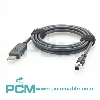
USB 3.0 Type-A to Type-B Industrial Camera Cable :
Features Applications And Selection Guide
Explore USB 3.0 A to B industrial camera cables for image acquisition and machine vision systems. Learn about connector compatibility, high speed data transfer, shielding, cable construction, and selection criteria for reliable integration with compatible cameras and host PCs in automation systems.
Product Introduction

What Is a USB 3.0 Type A to Type B Industrial Camera Cable ?
The USB 3.0 Type A to Type B industrial camera cable connects a camera's USB Type B port to a PC's USB Type A port. Type A connects to the host, while Type B connects to the camera.
It provides a wired data path and supports a nominal signaling rate of up to 5 Gbps in compatible USB 3.0 SuperSpeed systems. Actual image transfer depends on the camera, host, controller, cable quality, drivers, and acquisition software.
Why Is Signal Integrity Important for USB 3.0 Industrial Camera Cables ?
USB 3.0 uses differential signaling, making cable construction and termination quality key to signal integrity. Impedance control, cable length, shielding, and electromagnetic interference can affect performance.
Poorly designed cables may cause data errors, unstable connections, or failed SuperSpeed operation. For custom cables, confirm specifications and test with the target camera and host under actual conditions.

How to Select the Right USB 3.0 A to B Industrial Camera Cable ?
Confirm the camera's USB 3.0 Type B port and the host's Type A port; verify connector versions and SuperSpeed support. Choose a proper cable length for routing, movement and maintenance without tension or tight bends. Check mating orientation, clearance and cable exit direction for stable operation.
Core Product Value

◆ Direct Connection for Compatible Devices
Connects compatible industrial cameras to host devices through USB Type A and Type B ports. The distinct connectors help identify ends, simplify installation, and reduce confusion during replacement or equipment setup.
◆ Wired Path for Image Data
Designed for compatible USB devices, this cable provides a wired path for camera data to reach a computer or industrial PC. It supports image acquisition, while actual performance depends on the complete system.
◆ Integrated Assembly for Easier Wiring
The connectors and cable form one complete assembly, reducing the need for separate adapters. This simplifies wiring, clarifies the connection path, and makes inspection, replacement, and routine maintenance easier.
◆ Cable Construction and Signal Support
Conductors, insulation, signal paths, and outer jacket support electrical connectivity and cable protection. Shielding, when included, can help reduce electromagnetic interference depending on design and installation.

Product Customization Capabilities
Connector Options
Customize Type A and Type B connectors to match camera and host interface needs.
Cable Length
Customize cable length for equipment spacing, routing paths, and service access.
Cable Structure
Customize cable structure, insulation, and shielding to suit project needs.
Jacket and Flexibility
Select jacket materials and flexibility for demanding installation environments.
Connector Exit Direction
Set connector angles and cable exit direction for restricted installation areas.
OEM Bulk Production
Plan OEM labels, packaging, and batch tracking; confirm MOQs and delivery dates.
Product FAQ
What Is the USB 3.0 Cable's Transfer Rate ?
USB 3.0 SuperSpeed has a nominal signaling rate of 5 Gbps, but image throughput is usually lower. Results depend on the camera, host, cable, drivers, and acquisition software; test the full system.
Are USB 3.0 and USB 2.0 Type B Compatible ?
USB 3.0 Type B has extra SuperSpeed contacts. A USB 2.0 Type B plug fits a USB 3.0 Type B socket at USB 2.0 speeds, but a USB 3.0 Type B plug will not fit a USB 2.0 Type B socket.
Can This Cable Carry Data and Power ?
USB can carry data and bus power when supported by the device and connection design. Check the camera's power method, voltage, current, host port, and cable specifications before relying on USB power.
Why Is the Camera Not Detected or Slow ?
Check connector seating, interface versions, host port capability, drivers, and acquisition settings. If speed remains low, test the cable and system under actual image capture conditions.