

As a USB cables supplier, I've witnessed firsthand the importance of protecting these essential accessories. USB cables are ubiquitous in our daily lives, connecting our devices for charging, data transfer, and more. However, they are also prone to damage, which can lead to inconvenience and additional costs. In this blog post, I'll share some practical tips on how to protect your USB cable from damage.
Understanding the Common Causes of USB Cable Damage
Before we delve into the protective measures, it's crucial to understand the common culprits behind USB cable damage. By identifying these causes, you can take proactive steps to prevent them.
- Bending and Twisting: Excessive bending and twisting can damage the internal wires of the cable, leading to connectivity issues or even complete failure. This often happens when the cable is not properly stored or when it's pulled at sharp angles.
- Pulling: Yanking the cable out of the device or power source can cause the connectors to loosen or break. It's also important to avoid tugging on the cable while it's in use, as this can put stress on the internal components.
- Exposure to Heat and Moisture: High temperatures can cause the insulation of the cable to melt or degrade, while moisture can lead to corrosion and short circuits. Avoid leaving your cable in direct sunlight or in damp environments.
- Physical Damage: Sharp objects, pets, or accidental drops can cause cuts, nicks, or tears in the cable, exposing the internal wires and increasing the risk of damage.
Tips to Protect Your USB Cable
Now that we know the common causes of USB cable damage, let's explore some practical tips to keep your cables in top condition.

Proper Storage
- Coil the Cable Correctly: Instead of stuffing the cable into a drawer or bag haphazardly, coil it neatly. You can use a cable tie or a Velcro strap to keep the coil in place. This helps prevent kinks and tangles, which can damage the internal wires over time.
- Use a Cable Organizer: Cable organizers come in various shapes and sizes, from simple cable clips to more elaborate cable management systems. They can help keep your cables organized and protected, reducing the risk of damage.
- Store in a Cool, Dry Place: As mentioned earlier, heat and moisture can damage your USB cable. Store your cables in a cool, dry place, away from direct sunlight and sources of heat or moisture.
Handling with Care
- Unplug by the Connector: When unplugging your USB cable, always hold the connector and pull it straight out. Avoid pulling on the cable itself, as this can cause the connectors to loosen or break.
- Avoid Overbending: Be mindful of how you bend the cable. Try to keep the bends gentle and avoid sharp angles. If you need to bend the cable, make sure to do it slowly and carefully.
- Keep Away from Sharp Objects: Keep your USB cable away from sharp objects, such as knives, scissors, or keys. These objects can easily cut or damage the cable, exposing the internal wires.
Use Protective Accessories
- Cable Sleeves: Cable sleeves are a great way to protect your USB cable from physical damage. They come in various materials, such as silicone, nylon, or braided fabric, and can provide an extra layer of protection against cuts, nicks, and abrasions.
- Strain Reliefs: Strain reliefs are small devices that can be attached to the end of the cable to reduce stress on the connectors. They help prevent the cable from bending or breaking at the point where it meets the connector, extending the lifespan of the cable.
- Protective Caps: Protective caps can be used to cover the connectors when the cable is not in use. They help prevent dust, dirt, and moisture from entering the connectors, reducing the risk of corrosion and damage.
Choose High-Quality Cables
- Invest in Durable Materials: When purchasing a USB cable, look for cables made from high-quality materials, such as braided nylon or thick insulation. These materials are more resistant to damage and can withstand regular use.
- Check for Certification: Make sure the cable is certified by a reputable organization, such as the USB Implementers Forum (USB-IF). Certified cables meet strict quality and safety standards, ensuring reliable performance and compatibility with your devices.
- Consider the Length: Choose the appropriate length of cable for your needs. A cable that is too long can be more prone to tangles and damage, while a cable that is too short may not reach your device.
Our USB Cable Products
At our company, we offer a wide range of high-quality USB cables to meet your needs. Our cables are designed with durability and performance in mind, using the latest technology and materials. Here are some of our popular products:
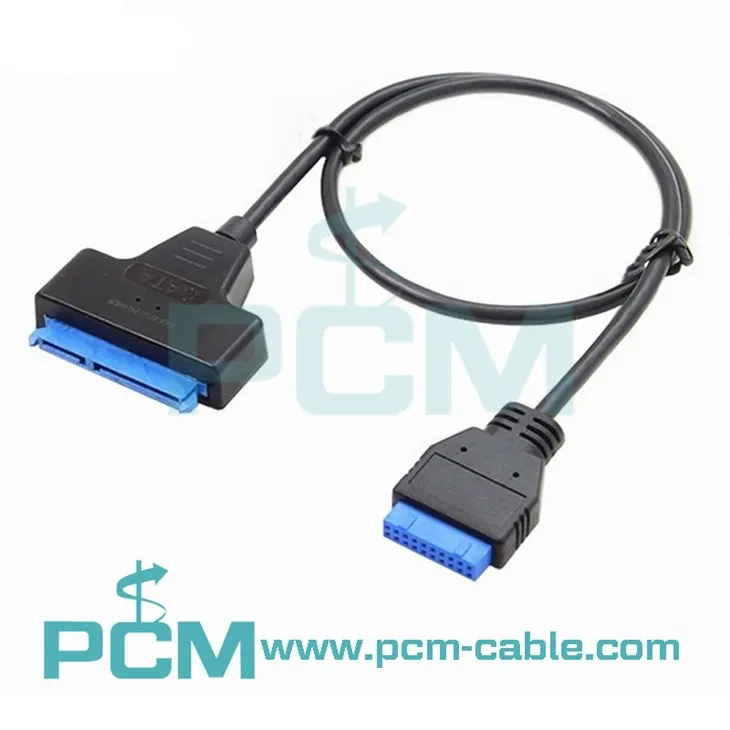
- SATA 22Pin 2.5 Inch To USB3.0 19Pin 20Pin Header Cable: This cable is perfect for connecting a 2.5-inch SATA drive to a USB 3.0 port, allowing for fast and reliable data transfer.
- Reversible USB Type A To Type C Data Charging Cable: This cable features a reversible design, making it easy to plug in your device without having to worry about the orientation. It also supports fast charging and data transfer.
- PS/2 Mouse and Keyboard To USB Adapter 2 PS/2 To USB: This adapter allows you to connect your PS/2 mouse and keyboard to a USB port, providing compatibility with modern computers.
Conclusion
Protecting your USB cable from damage is essential to ensure reliable performance and extend its lifespan. By following the tips outlined in this blog post, you can minimize the risk of damage and keep your cables in top condition. At our company, we are committed to providing high-quality USB cables that are durable, reliable, and easy to use. If you're interested in purchasing our USB cables or have any questions, please feel free to contact us for more information. We look forward to working with you!
References
- USB Implementers Forum. (n.d.). USB Certification. Retrieved from [USB-IF Website]
- Consumer Reports. (n.d.). How to Protect Your USB Cables. Retrieved from [Consumer Reports Website]
- PCMag. (n.d.). The Best USB-C Cables for Your Devices. Retrieved from [PCMag Website]


