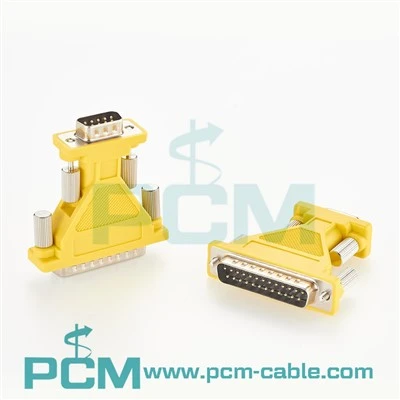
Hey there, let’s cut to the chase—if you’re running a studio, live sound gig, or even just messing around with a home setup, snake cables are the unsung heroes that keep your audio signals from turning into a chaotic mess. I’ve been selling these bad boys for years now, and let me tell you, the number one question I get is: “How do I keep my snake from crapping out on me mid-set or mid-recording?” Spoiler alert—ignoring basic maintenance is how you end up with dead channels or crackly sound right when you need it most. Whether you’ve got a 52-1335A XS Multi I O Box Cable, a DB25 To 4XLR M 4XLR F Tascam Compatible Cable, or something else entirely, this guide will keep your snake working for years, no fancy tech degree required.
First off, let’s get real about what makes snake cables different from your regular old mic cables. A regular cable’s just one signal, right? Snakes have multiple—anywhere from 4 to 16 channels of audio running through a single jacket. That extra bulk and number of connections mean they take more abuse: being dragged across floors, stepped on, coiled too tight, left out in the rain, you name it. I’ve seen every disaster imaginable—snakes with crushed channels, frayed insulation, pins bent so bad the XLR won’t click in. Most of these issues aren’t from bad manufacturing, though—they’re from owners who don’t know how to handle or store their gear. Let’s start with the daily stuff, because that’s where you can prevent 80% of the problems.
Daily Use: Stop Treating Your Snake Like a Tow Rope
Let’s be honest—when you’re rushing to a gig, grabbing your snake by the connectors and yanking it across the stage floor is tempting. Don’t. That jacket’s tough, but the stress at the connector is where breaks happen. Think about it: every time you yank the cable, the strain relief (that little rubber or plastic piece where the wires meet the connector) takes a beating. Over time, that cracks, and then the wires inside start to fray. I learned this the hard way early on—sent out a bunch of snakes that looked fine on the outside but had broken internal wires because a customer was yanking them wrong. Now, whenever someone buys a snake from us, I shoot them a quick email tip: always pick it up by the body, not the connectors. If you have to move it a short distance, grab the middle of the jacket, not the ends.
Another big one: coiling it correctly. I see people do this all the time—wrapping a snake tight like a garden hose, looping it so it’s all knotted, or throwing it over a shoulder like a lasso. That’s a surefire way to kink the jacket and damage the internal wires. The right way is to make loops that are at least a foot wide, like a big lazy circle, not tight coils. If you’re storing it, you can even make figure-eight loops to prevent kinks if you’re short on space. And never step on a coiled snake to “flatten it out”—that crushes the channels, especially the DB25 side if you’re dealing with something like the Multicore analog snack cable Gold DB25 Sub-D High fidelity (wait, no, it’s snake cable—auto-correct can’t ruin my gig). DB25 connectors have tiny pins that bend way easier than XLRs, so extra care there.
Weekly Check-Ups: Catch Small Issues Before They Become Headaches
Once a week, set aside 10 minutes to go over your snake. This isn’t rocket science—just a quick walkthrough to spot trouble before it starts. First, check the connectors: wiggle each XLR, TRS, or DB25 a little (gently) to make sure they’re not loose. If one feels wobbly, the screw terminal inside might be loose, or the connector shell could be cracked. Tightening the little set screws on the connector (most have them) can fix that, but if the shell’s cracked, don’t wait to replace it—water or dust will get in, and that’s game over.
Next, run your hand along the entire jacket from end to end. Feel for frays, soft spots, or dents. If you find a fray, don’t just wrap it in electrical tape and call it a day—cut that section out and use a cable repair kit, or if it’s a long snake, maybe snip the frayed part and re-terminate the connector. For DB25-specific snakes, like the DB25 To 8 XLR Female Audio Snake Cable, inspect the pins in the DB25 port too. A bent pin there will kill a whole channel, so use a small pick (or even a clean paperclip) to gently straighten any that are out of line.
Pro tip: Plug your snake into a simple audio test device once a month—even your phone will work. Play a tone through each channel one by one, and listen for crackles or dropouts. That way, if a wire’s starting to go bad, you’ll catch it before you’re in the middle of a show trying to fix it. I’ve had customers bring back snakes that worked fine one week and had two dead channels the next, just because they skipped this quick check.
Storage: How to Keep Your Snake Alive When It’s Not in Use
Storing a snake wrong is probably the biggest mistake people make. I’ve seen them crumpled in the back of a gig bag, left in a hot car trunk for days, or even draped over a radiator. Heat is the worst—plastic jackets and strain reliefs get brittle when it’s super hot or cold, so avoid leaving your snake in extreme temps. If you’re storing it long-term (like a whole off-season), hang it up on a wall rack or use a cable reel. Don’t just throw it in a box with other gear—anything sharp (microphone stands, pedal boards) can snick into the jacket and cause hidden damage.
If you’ve got a snake you use for electric drums, like the Electric Drums PAD Audio Cable TRS Male to DB25 Male connector Fits Alesis DM6 USB Express, give it extra love. Drumming areas can get dusty and have little bits of drumstick wax or rubber that stick to the connectors. Once a month, take a cotton swab with a little isopropyl alcohol (90% or higher, no water!) and clean the pins on both the TRS and DB25 ends. Dust and wax build up cause bad connections way more often than you think.
Common Mistakes to Ditch Right Now
Let’s run through the stuff that even veteran sound guys mess up sometimes. First: don’t daisy-chain snakes. You might think it’s fine to plug two snakes together to get more channels, but that adds extra signal loss and makes each connection a weak point. It’s way better to use a single long snake or plan your setup so you don’t need to chain. Second: never pull a connector out by the cable itself. Always grip the connector shell when unplugging—yanking the cable is how pins bend and wires break. I’ve seen a DB25 connector with three bent pins because someone pulled it out by the cord, and that took 10 minutes to fix instead of 10 seconds if they’d handled it right.


Another one: don’t use your snake to tie down gear. Ever. I’ve seen people wrap a snake around a monitor stand to keep it from tipping, or use it to secure a mic clip. That puts insane stress on the internal wires and strain relief. Snakes are for audio, not for rope duty. And if you’re using them outdoors? Even if it’s a “weather-resistant” snake, bring it inside when you’re done. Rain, humidity, and dirt will eat away at the connectors over time—no snake is 100% waterproof forever.
What to Do If Something Goes Wrong
Okay, so you checked, and you’ve got a crackly channel or a dead XLR. Don’t panic. For minor stuff, like a loose XLR, just tighten the set screw. For bent DB25 pins, use a small precision screwdriver or a pin straightener (we sell these in our accessories section, by the way) to gently bend them back into place. If you have frayed insulation, cut the bad section and re-terminate the connector—most of our snakes come with strain reliefs that make that easy, or you can pick up a cheap crimp kit online. If a whole channel is dead inside, that’s usually a broken wire, but that’s way less common than a loose connector or bent pin.
And if it’s time to replace parts or upgrade? Hey, we’ve got you covered. Whether you need a replacement like the DB25 To 4XLR M 4XLR F Tascam Compatible Cable that works with your old Tascam board, or a new multi-I/O cable like the 52-1335A XS Multi I O Box Cable, we make our snakes to hold up to daily use, not just studio display.
At the end of the day, snake cable maintenance isn’t hard—it’s just consistent. 10 minutes a week, handle it with a little care, store it right, and you’ll avoid 99% of the headaches that come with audio gear that’s ready to fail when you need it most. If you’re in the market for a new snake, need replacement parts, or just have questions about keeping your current ones running, hit us up—we’re here to help with whatever your setup needs.
References
- Audio Cable Maintenance: Industry Best Practices, Professional Sound Association, 2022
- DB25 Connector Care for Multicore Cables, Pro Audio Tech Journal, Vol. 18, No. 3, 2021
- Outdoor and Live Sound Cable Durability Guide, Live Sound International, 2023