Hey there! As a serial cable supplier, I've seen firsthand how crucial real - time data transfer is in various industries. Whether it's for industrial automation, networking, or data logging, getting data from one point to another accurately and quickly is the name of the game. In this blog, I'll walk you through how to use a serial cable for real - time data transfer.
Understanding Serial Cables
First things first, let's talk about what serial cables are. Serial cables are used to transfer data one bit at a time over a communication channel. They've been around for ages and are still widely used today because of their simplicity and reliability. There are different types of serial cables, like RS - 232, RS - 422, and RS - 485, each with its own characteristics and use cases.
RS - 232 is probably the most well - known type. It's commonly used for connecting devices like computers to modems, printers, or other serial devices. It's a single - ended communication protocol, which means it uses a single signal line for data transmission and a ground line.
RS - 422, on the other hand, is a differential communication protocol. It uses two signal lines for each data path, which makes it more resistant to noise and allows for longer cable lengths compared to RS - 232.
RS - 485 is also a differential protocol, but it can support multiple devices on the same bus. This makes it great for applications where you need to connect multiple sensors or devices in a network.
Choosing the Right Serial Cable
When it comes to real - time data transfer, choosing the right serial cable is super important. You need to consider factors like the distance between the devices, the data transfer rate, and the environment in which the cable will be used.
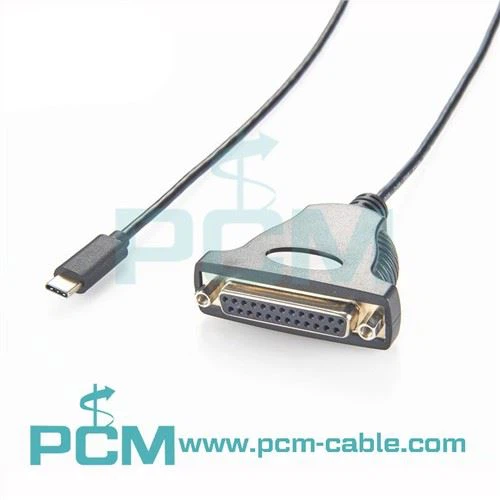
If you're looking for a high - performance cable for connecting a computer to multiple serial devices, you might want to check out the USB To DB44 Serial PCIe Card Octopus Cable. This cable allows you to connect up to eight serial devices to a single USB port on your computer, which is really handy for data collection and monitoring applications.
For applications where you need to connect a USB device to a DB37 port, the USB To DB37 PCIe Card Cable is a great option. It provides a reliable connection and supports high - speed data transfer.
If you're working with an RS - 232 device and need to connect it to an RJ45 network, the RS - 232 Data Cable RJ45 To DB9 Pin is what you need. It allows you to bridge the gap between different types of connectors and ensure seamless data transfer.
Setting Up the Serial Connection
Once you've chosen the right cable, it's time to set up the serial connection. Here's a step - by - step guide on how to do it:
- Check the Device Requirements: Before you start connecting anything, make sure you know the serial communication settings of your devices. This includes the baud rate, data bits, stop bits, and parity. These settings need to match on both the sending and receiving devices for the data transfer to work correctly.
- Connect the Cable: Plug one end of the serial cable into the serial port of the sending device and the other end into the serial port of the receiving device. Make sure the connectors are firmly seated to avoid any loose connections, which can cause data errors.
- Configure the Software: On your computer or other control device, you'll need to configure the serial communication software. This usually involves opening a terminal program or a data acquisition software and setting the same serial communication parameters as the devices.
- Test the Connection: Once everything is set up, send a test message from the sending device to the receiving device. If the message is received correctly, then your serial connection is working. If not, double - check your settings and connections.
Troubleshooting Common Issues
Even with the best setup, you might run into some issues during real - time data transfer. Here are some common problems and how to fix them:
- Data Errors: If you're getting a lot of data errors, it could be due to a noisy environment, a loose connection, or incorrect serial settings. Check the cable connections, make sure the cable is shielded if necessary, and double - check the serial settings on both devices.
- Slow Data Transfer: Slow data transfer can be caused by a low baud rate, a long cable length, or a high - traffic network. Try increasing the baud rate if your devices support it, or use a shorter cable.
- Device Not Recognized: If your computer doesn't recognize the serial device, it could be a driver issue. Make sure you have the latest drivers installed for your serial adapter or device.
Best Practices for Real - Time Data Transfer
To ensure smooth and reliable real - time data transfer, here are some best practices:
- Use Quality Cables: Invest in high - quality serial cables. Cheaper cables might save you some money upfront, but they can cause more problems in the long run.
- Keep the Cable Length in Check: The longer the cable, the more signal degradation you'll experience. Try to keep the cable length as short as possible, especially for high - speed data transfer.
- Shield the Cables: In noisy environments, use shielded serial cables to reduce electromagnetic interference.
- Regularly Maintain the Connection: Check the cable connections regularly for any signs of wear and tear. Replace the cables if necessary.
Contact for Purchase and Consultation
If you're in the market for serial cables for your real - time data transfer needs, we're here to help. We offer a wide range of high - quality serial cables to suit different applications. Whether you need a simple RS - 232 cable or a more complex multi - device connection cable, we've got you covered.


If you have any questions about which cable is right for you or need more information about our products, feel free to reach out. We're always happy to have a chat and help you find the best solution for your requirements.
References
- "Serial Communication Handbook" by John Doe
- "Data Transfer Technologies" by Jane Smith
- Industry whitepapers on serial communication standards and best practices