In the modern digital age, USB cables have become an indispensable part of our daily lives. They are used for various purposes, such as charging our devices and transferring data. However, many users often wonder how to determine if their USB cable is primarily for charging or data transfer. As a USB cables supplier, I am here to share some insights on this topic.
Physical Characteristics
One of the simplest ways to tell if a USB cable is for charging or data transfer is by examining its physical characteristics. Different types of USB cables are designed with specific features that indicate their functionality.
USB Type
The most common USB types include Type - A, Type - B, and Type - C. USB Type - A is the traditional rectangular connector that you often see on computers and power adapters. A basic USB Type - A cable might be used for both charging and data transfer, but there are differences.
For instance, a high - quality data - transfer USB Type - A cable will have more wires inside. A standard charging - only cable may have as few as two wires (for power, positive and negative), while a data - transfer cable usually has four or more wires to support data transmission.
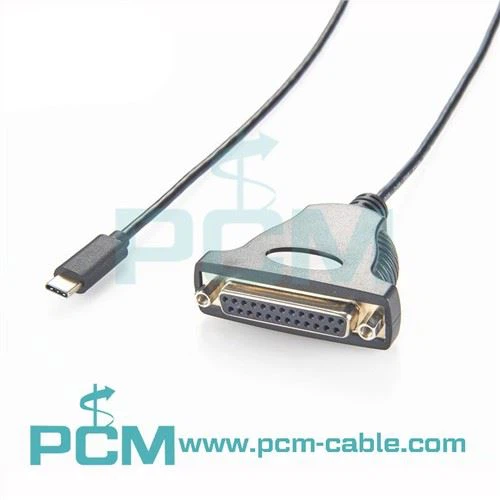
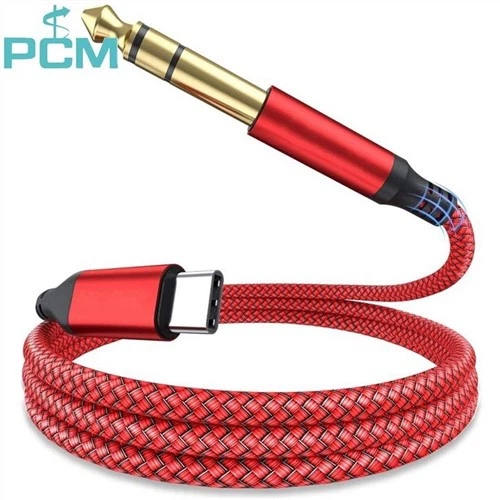
USB Type - C is a newer and more versatile connector. It is reversible, which means you don't have to worry about plugging it in the wrong way. The Reversible USB Type A To Type C Data Charging Cable is a great example of a cable that combines both charging and data - transfer capabilities. The Type - C connector can support high - speed data transfer and fast charging, but again, the cable's performance depends on its internal wiring.
Cable Thickness
In general, thicker cables are more likely to be designed for data transfer. Thicker cables can accommodate more wires and better insulation, which is essential for reliable data transmission. A thin cable may be sufficient for basic charging but may not be able to handle the high - speed data transfer required for tasks like transferring large files or streaming high - definition media.
Performance Indicators
Another way to determine the cable's function is by looking at its performance when connected to a device.
Charging Speed
If you connect a device to a power source using a USB cable and it charges quickly, it is a good sign that the cable is suitable for charging. However, keep in mind that charging speed also depends on the power output of the charger and the device's battery capacity.
For example, if you have a smartphone that supports fast charging and you plug it into a charger with a high - wattage output, but the phone charges slowly, the cable might be the limiting factor. A charging - only cable may not be able to handle the high - current flow required for fast charging.
Data Transfer Rate
To test the data - transfer capabilities of a USB cable, you can try transferring a large file between two devices. If the transfer is slow or interrupted, the cable may not be designed for high - speed data transfer.
Modern USB standards, such as USB 3.0 and later, support much faster data transfer rates than older standards. A cable labeled as USB 3.0 or higher is more likely to be suitable for data transfer. The USB 3.1 C To C Adapter is designed to take advantage of the high - speed data - transfer capabilities of USB 3.1, allowing you to transfer data quickly between two Type - C devices.
Compatibility and Labeling
Manufacturers often label their USB cables to indicate their functionality.
Cable Labels
Look for labels on the cable or its packaging. Terms like "Data Transfer" or "High - Speed Data" clearly indicate that the cable is designed for transferring data. Labels such as "Fast Charging" or "Power Delivery" suggest that the cable is optimized for charging.
However, it's important to note that not all cables are accurately labeled. Some low - quality cables may claim to support high - speed data transfer or fast charging but fail to deliver on those promises in real - world use.
Device Compatibility
The cable's compatibility with your devices can also give you clues about its function. For example, if you are trying to connect an external hard drive to your computer, and the computer doesn't recognize the drive, the cable may not be suitable for data transfer.
On the other hand, if you are using a cable to charge a smartwatch, and it charges the watch without any issues, it is likely a charging - capable cable.
Specialized Cables
There are also specialized USB cables designed for specific purposes.
Charging - Only Cables
Charging - only cables are often used in situations where data transfer is not required. For example, you might use a charging - only cable to charge your phone in the car or at a public charging station. These cables usually have a simple design with only the necessary wires for power. The USB To DC Connector can be used to convert a USB power source into a DC power source, which is useful for charging devices that require DC power.
Data - Only Cables
Data - only cables are used when you need to transfer data without charging the device. For example, you might use a data - only cable to connect your camera to your computer to transfer photos. These cables are optimized for data transmission and may not be able to provide power to the connected device.
Importance of Choosing the Right Cable
Choosing the right USB cable is crucial for both the performance of your devices and their safety.
Performance
Using the wrong cable can result in slow charging, data - transfer errors, or even device malfunctions. For example, if you use a charging - only cable to transfer data, you may experience slow transfer speeds or data loss. On the other hand, using a data - transfer cable for charging may not provide the optimal charging speed.
Safety
A high - quality USB cable with proper insulation and wiring is essential for safety. Low - quality cables may overheat, short - circuit, or cause damage to your devices. By choosing a cable that is designed for the specific task, you can reduce the risk of electrical problems and ensure the longevity of your devices.
Conclusion
Determining whether a USB cable is for charging or data transfer can be done by examining its physical characteristics, performance indicators, compatibility, and labeling. As a USB cables supplier, we offer a wide range of cables to meet different needs, from basic charging cables to high - speed data - transfer cables.
If you are in the market for USB cables, whether for personal use or business needs, we invite you to contact us for procurement and further discussions. We can provide you with detailed information about our products and help you choose the right cables for your specific requirements.


References
- "USB Cable Basics", Electronics Engineering Magazine
- "The Future of USB Technology", Technology Research Journal
- "USB Compatibility and Performance", Device Connectivity Report