

In the realm of modern technology, USB cables have become an indispensable part of our daily lives. They are used to connect a wide range of devices, from smartphones and tablets to computers and cameras. One of the most frequently asked questions about USB cables is, "What is the voltage of a standard USB cable?" In this blog post, I'll delve into this question and provide you with a comprehensive understanding of USB cable voltages. As a USB cables supplier, I have in - depth knowledge of these products and can offer valuable insights.
The Basics of USB Voltages
USB (Universal Serial Bus) technology has evolved over the years, and different USB standards have different voltage specifications. The most common USB standards are USB 1.0, USB 2.0, USB 3.0, and USB Type - C.
USB 1.0 and USB 2.0
USB 1.0 was introduced in 1996, and USB 2.0 came out in 2000. These two standards share the same voltage characteristics. The standard voltage for both USB 1.0 and USB 2.0 is 5 volts (V). This 5 - volt power supply is used to power connected devices and transfer data between the host device (such as a computer) and the peripheral device (like a mouse or a flash drive).
The 5 - volt power is delivered through the power lines of the USB cable. In a USB 2.0 cable, there are four wires: two for power (VCC and GND) and two for data transfer (D+ and D - ). The VCC wire carries the 5 - volt positive voltage, while the GND wire is the ground or negative reference.
USB 3.0
USB 3.0, also known as SuperSpeed USB, was released in 2008. It offers faster data transfer speeds compared to USB 2.0. Similar to USB 1.0 and USB 2.0, the standard voltage for USB 3.0 is also 5 volts. However, USB 3.0 cables have additional wires for high - speed data transfer. A USB 3.0 cable has a total of nine wires, with the extra wires dedicated to improving data transfer performance.
The 5 - volt power supply in USB 3.0 is used not only to power devices but also to support the high - speed data transfer capabilities. Many external hard drives and high - performance flash drives use USB 3.0 cables, and the 5 - volt power is crucial for their proper operation.
USB Type - C
USB Type - C is a relatively new and more versatile USB standard. It was introduced in 2014 and has quickly gained popularity due to its reversible connector design and higher power delivery capabilities.

USB Type - C can support a range of voltages. The basic voltage for USB Type - C is still 5 volts, which is used for low - power devices and basic data transfer. However, USB Type - C also supports Power Delivery (PD) technology, which can provide higher voltages. With USB PD, the voltage can range from 5 volts up to 20 volts. This allows USB Type - C cables to charge high - power devices such as laptops and tablets much faster.
For example, some laptops can be charged using a USB Type - C cable with a 20 - volt power supply, which significantly reduces the charging time compared to traditional charging methods.
Factors Affecting USB Cable Voltage
Several factors can affect the voltage of a USB cable.
Cable Length
The length of the USB cable can have an impact on the voltage. As the length of the cable increases, the resistance in the cable also increases. This resistance can cause a voltage drop along the cable. For example, if you have a long USB cable, the voltage at the end of the cable may be slightly lower than the voltage at the source. This is why it's important to use high - quality cables, especially for longer distances.
Cable Quality
The quality of the cable is another important factor. A high - quality USB cable is made with better materials and has lower resistance. This means that there will be less voltage drop along the cable, and the device at the end of the cable will receive a more stable voltage. On the other hand, a low - quality cable may have higher resistance, which can lead to a significant voltage drop and potentially cause problems with the connected device.
Device Requirements
Different devices have different voltage requirements. Some devices may require a specific voltage to function properly. For example, a high - power external hard drive may need a stable 5 - volt power supply to operate without issues. If the voltage provided by the USB cable is not within the acceptable range, the device may not work correctly or may even be damaged.
Our USB Cable Offerings
As a USB cables supplier, we offer a wide range of high - quality USB cables to meet different needs.
We have the USB3.0 To Micro B Online Shooting Cable. This cable is designed for online shooting applications, providing a stable connection and reliable data transfer. It adheres to the standard 5 - volt USB 3.0 specification, ensuring that your shooting device receives the necessary power and can transfer data quickly.
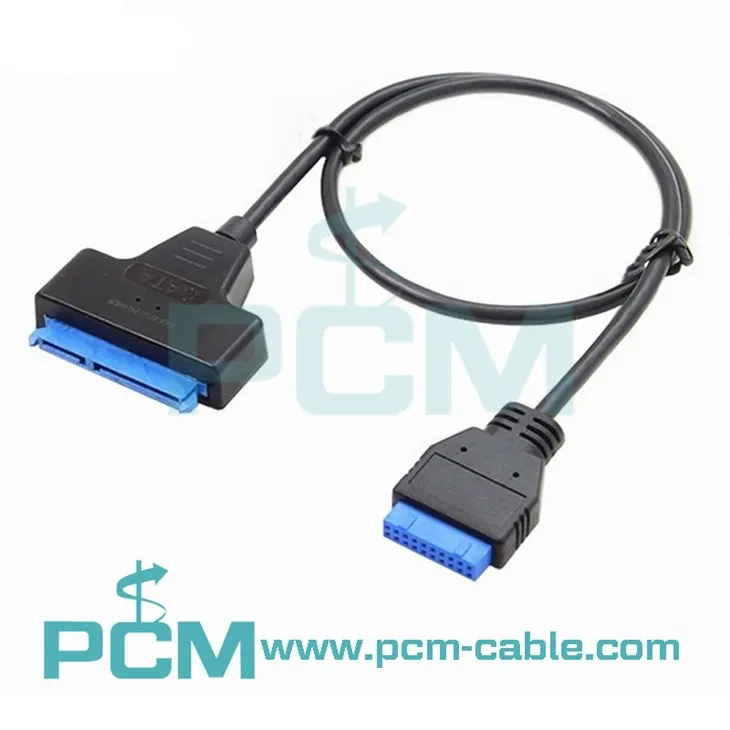
Another product in our catalog is the SATA 22Pin 2.5 Inch To USB3.0 19Pin 20Pin Header Cable. This cable is ideal for connecting 2.5 - inch SATA drives to a USB 3.0 port. It also operates at the standard 5 - volt USB 3.0 voltage, allowing for efficient data transfer between the drive and the host device.
We also offer the USB3.0 Micro B Professional Tethered Shooting Line. This cable is designed for professional photographers who need a reliable connection for tethered shooting. It provides a stable 5 - volt power supply and high - speed data transfer, ensuring that your camera can communicate effectively with your computer.
Importance of Understanding USB Cable Voltage
Understanding the voltage of a USB cable is crucial for several reasons.
Device Compatibility
Knowing the voltage requirements of your devices and the voltage provided by the USB cable ensures that your devices are compatible. Using a cable with the wrong voltage can lead to device malfunctions or even damage. For example, if you try to charge a device that requires 5 volts with a cable that provides a higher voltage, it may overheat or get damaged.
Power Management
Proper understanding of USB cable voltage helps in power management. If you are using multiple devices connected to a single USB port, you need to ensure that the total power requirements of the devices do not exceed the power supply capacity of the USB port. This can prevent power - related issues such as slow charging or device failures.
Contact Us for Procurement
If you are in the market for high - quality USB cables, we are here to help. Our team of experts can provide you with detailed information about our products and assist you in choosing the right cables for your needs. Whether you are a business looking to purchase in bulk or an individual in need of a single cable, we can offer you the best solutions. Contact us today to start the procurement process and experience the difference of our top - notch USB cables.
References
- "USB Implementers Forum." The official organization for USB standards and specifications.
- Various technical documents from major electronics manufacturers regarding USB technology.


