Hey there! As a USB cables supplier, I get asked a ton about the difference between USB A and USB C cables. It's a super common question, and for good reason. These two types of cables have become the backbone of our digital lives, but they're not created equal. So, let's dive in and break down what sets them apart.
Physical Design
Let's kick things off with the look and feel. USB A cables have been around for ages. You've probably seen them everywhere – they're the chunky, rectangular connectors that we've been using for decades. The USB A plug is fairly large and has one correct way to insert it into a port. You know how it is; sometimes you try to plug it in, and it's upside down. It can be a real pain, especially in a hurry!
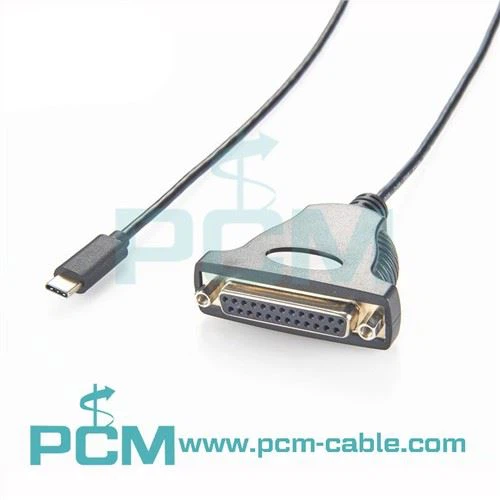
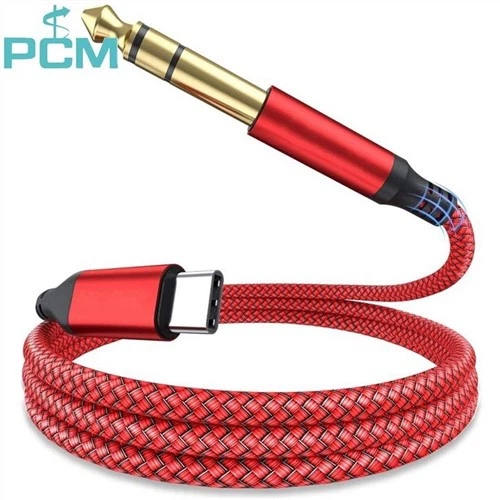
On the other hand, USB C cables are a game - changer in terms of design. They're smaller and more compact. The USB C connector is oval - shaped and reversible. That means you don't have to worry about which way is up or down. You can just plug it in, and it'll work. It's such a simple yet brilliant improvement that makes using devices so much more convenient.
Data Transfer Speeds
When it comes to moving data around, the difference between USB A and USB C cables is pretty significant. USB A cables have different versions, and the data transfer speeds vary accordingly. The older USB 2.0 A cables have a maximum data transfer rate of around 480 Mbps. That was okay for transferring small files like documents or a few photos back in the day.
But as technology advanced, we needed more speed. USB 3.0 and 3.1 A cables came along, offering much faster transfer rates. USB 3.0 can reach up to 5 Gbps, and USB 3.1 Gen 2 can go as high as 10 Gbps. These speeds are great for transferring large files, like high - definition videos or big software installations.
Now, let's talk about USB C. USB C cables support a wide range of data transfer protocols, and they can be incredibly fast. The latest USB 4 standard, which is often used with USB C cables, can achieve speeds of up to 40 Gbps. That's insanely fast! You can transfer a full - length 4K movie in just a few seconds. If you're a content creator or someone who deals with large amounts of data on a regular basis, USB C is the way to go.
Power Delivery
Power delivery is another area where USB A and USB C cables differ. USB A cables have limited power - delivery capabilities. The standard USB 2.0 A port can provide a maximum of 2.5 watts of power, which is usually enough to charge small devices like a pair of Bluetooth earbuds or a basic mouse.
USB 3.0 A ports can offer a bit more power, up to 4.5 watts. It's still not a huge amount, but it can charge small tablets or smartphones a bit faster. However, if you want to charge larger devices like laptops, USB A just doesn't cut it.


In contrast, USB C cables are powerhouses when it comes to power delivery. They support the USB Power Delivery (USB PD) standard, which can deliver a wide range of power levels. You can find USB C cables that can deliver anywhere from 18 watts to 100 watts or more. This means you can use a single USB C cable to charge your smartphone, tablet, and even your laptop. It's so convenient and eliminates the need for multiple chargers.
Compatibility
Compatibility is a crucial factor to consider. USB A cables have been around for so long that they're compatible with a vast number of devices. You can find USB A ports on everything from desktop computers and laptops to printers, game consoles, and older smartphones. It's the universal standard that most devices have supported for years.
However, as technology evolves, more and more devices are starting to adopt USB C ports. Newer laptops, smartphones, tablets, and even some monitors are coming with USB C ports. This shift is happening because of the many advantages that USB C offers, like faster data transfer and better power delivery. But it also means that if you have an older device with a USB A port, you might need an adapter to use a USB C cable.
Use Cases
The differences between USB A and USB C cables mean that they're suited for different use cases. USB A cables are still great for basic tasks. If you're just plugging in a USB flash drive to transfer a few files, or hooking up a keyboard or mouse to your computer, a USB A cable will do the job just fine. You can also use them to charge older devices that only support USB A ports.
On the other hand, USB C cables are perfect for the modern digital lifestyle. If you're into high - speed data transfers, like backing up your camera's memory card or transferring large files between devices, USB C is the clear choice. They're also ideal for charging multiple devices with a single cable. And if you have a new laptop or smartphone that supports USB C, you'll get the best performance and features by using a USB C cable.
Our Product Offerings
As a USB cables supplier, we've got a great selection of both USB A and USB C cables to meet your needs. Whether you're looking for a basic USB A cable for everyday use or a high - performance USB C cable for your new gadgets, we've got you covered.
We also offer some other cool products related to USB cables. If you're interested in a USB To DC Connector, we have a variety of options to power up your devices. Or maybe you need a USB Data Blocker to protect your data when charging your device in public places. And for those who are into online shooting, we have the Online Shooting Cable USB C that provides a reliable connection for your shooting equipment.
Get in Touch for Purchasing
If you're in the market for USB cables or any of our related products, we'd love to hear from you. Whether you're a small business looking to stock up on cables for your office or an individual shopper in need of a new cable, we can offer you quality products at competitive prices. Don't hesitate to reach out for a quote or to discuss your specific requirements. We're here to make sure you get the right cables for your tech setup.
References
- USB Implementers Forum. (2023). USB Type - C and USB Power Delivery Standards.
- Various tech blogs and reviews on USB A and USB C cables.