How to Manage Multiple Serial Adapters in a Network
In today's interconnected world, serial adapters play a crucial role in enabling communication between various devices. As a serial adapter supplier, I understand the challenges that come with managing multiple serial adapters in a network. In this blog post, I'll share some insights and best practices to help you effectively manage multiple serial adapters.
Understanding Serial Adapters
Before delving into management strategies, it's essential to understand what serial adapters are and their functions. Serial adapters are hardware devices that allow computers and other devices to communicate serially. They convert data from parallel to serial form and vice versa, enabling seamless communication between devices with different communication protocols.
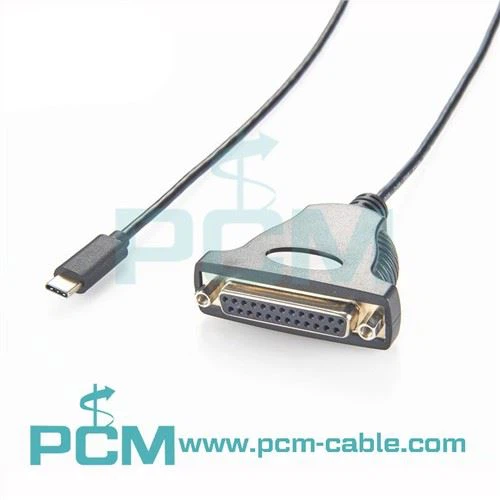
There are various types of serial adapters available in the market, each designed for specific applications. For instance, the USB to DB9 RS232 Cable is commonly used to connect a USB-enabled device to a device with a DB9 RS232 port. This type of adapter is widely used in industrial control systems, data acquisition systems, and telecommunications equipment.
Another popular type of serial adapter is the Industrial RS232 To RS485 RS422 Converter. This adapter is designed to convert RS232 signals to RS485 or RS422 signals, which are more suitable for long-distance communication and multi-drop networks. It is commonly used in industrial automation, building automation, and security systems.
The USB To RS485 TTL Converter is yet another important serial adapter. It allows a USB device to communicate with RS485 or TTL devices, making it ideal for applications such as home automation, sensor networks, and embedded systems.
Challenges of Managing Multiple Serial Adapters
Managing multiple serial adapters in a network can be a complex task, and several challenges need to be addressed. One of the primary challenges is ensuring compatibility between different serial adapters and the devices they are connected to. Different devices may use different communication protocols, baud rates, and data formats, which can lead to communication issues if not properly configured.
Another challenge is the management of resources. Each serial adapter requires a certain amount of system resources, such as CPU time, memory, and bandwidth. When multiple serial adapters are used simultaneously, it can put a strain on the system resources, leading to performance degradation.
In addition, troubleshooting communication issues can be difficult when multiple serial adapters are involved. Identifying the source of the problem, whether it is a hardware issue, a software issue, or a configuration issue, can be a time-consuming and challenging process.
Best Practices for Managing Multiple Serial Adapters
To overcome the challenges of managing multiple serial adapters in a network, the following best practices can be followed:
1. Compatibility Testing
Before deploying multiple serial adapters in a network, it is essential to conduct thorough compatibility testing. This involves testing the serial adapters with the devices they will be connected to, ensuring that they are able to communicate effectively. During the testing process, different communication protocols, baud rates, and data formats should be tested to identify any potential compatibility issues.


2. Centralized Configuration Management
Using a centralized configuration management system can help simplify the management of multiple serial adapters. This system allows you to configure and manage all the serial adapters from a single location, reducing the risk of configuration errors. It also provides a centralized repository for storing configuration settings, making it easier to track and manage changes.
3. Resource Monitoring and Optimization
Monitoring the system resources used by the serial adapters is crucial for ensuring optimal performance. By using monitoring tools, you can track the CPU utilization, memory usage, and bandwidth consumption of each serial adapter. If you notice that a particular serial adapter is using an excessive amount of resources, you can take steps to optimize its configuration or limit its usage.
4. Error Handling and Logging
Implementing a robust error handling and logging mechanism is essential for troubleshooting communication issues. Whenever an error occurs, the serial adapter should log detailed information about the error, including the time of occurrence, the type of error, and the devices involved. This information can then be used to identify the root cause of the problem and take appropriate corrective actions.
5. Regular Maintenance and Upgrades
Regular maintenance and upgrades are essential for ensuring the reliability and performance of the serial adapters. This includes updating the firmware of the serial adapters to the latest version, which can fix bugs, improve compatibility, and enhance performance. It also involves cleaning the connectors of the serial adapters to prevent corrosion and ensure good electrical contact.
Conclusion
Managing multiple serial adapters in a network can be a challenging task, but by following the best practices outlined in this blog post, you can ensure that your serial adapters operate effectively and efficiently. As a serial adapter supplier, we are committed to providing high-quality serial adapters and technical support to help you overcome the challenges of managing multiple serial adapters in your network.
If you are interested in learning more about our serial adapters or have any questions about managing multiple serial adapters in your network, please feel free to contact us for procurement and further discussions. We look forward to working with you to meet your serial communication needs.
References
- "Serial Communication Handbook" by John Doe
- "Network Management Best Practices" by Jane Smith
- "Industrial Serial Communication Standards" by ABC Publishing