

In the realm of audio equipment, RCA cables play a crucial role in transmitting high - quality audio signals. As an established RCA cables supplier, I understand the importance of ensuring optimal performance for these cables. In this blog, I'll share some valuable insights on how to improve the performance of RCA cables.
Understanding RCA Cables
RCA cables, also known as phono cables, are widely used in audio and video systems. They typically consist of two or three cables: two for left and right audio channels and, in some cases, one for video. The RCA connector, with its characteristic red and white color - coding for audio and yellow for video, is a standard in the industry. These cables are used to connect various audio devices such as CD players, amplifiers, and speakers.
Choosing the Right Cable
The first step in improving the performance of RCA cables is selecting the right one for your needs. There are several factors to consider:
Cable Gauge
The gauge of a cable refers to its thickness. A lower gauge number indicates a thicker cable. Thicker cables generally have lower resistance, which means less signal loss. For longer cable runs, a lower - gauge cable, such as 16 or 14 gauge, is recommended. This helps to maintain the integrity of the audio signal over a greater distance.

Cable Material
The material used in the cable also has a significant impact on performance. Copper is the most common material for RCA cables due to its excellent conductivity. Oxygen - free copper (OFC) is even better as it has fewer impurities, resulting in a cleaner signal transmission. Silver - plated copper cables offer even higher conductivity, but they are also more expensive.
Shielding
Shielding is crucial to protect the cable from electromagnetic interference (EMI) and radio - frequency interference (RFI). A well - shielded cable can prevent unwanted noise and static from being introduced into the audio signal. Look for cables with multiple layers of shielding, such as braided shields and foil shields.
Proper Installation
Even the best - quality RCA cables can perform poorly if they are not installed correctly. Here are some installation tips:
Avoid Kinks and Bends
Kinks and sharp bends in the cable can disrupt the signal flow and cause signal loss. When installing the cables, make sure to lay them out smoothly and avoid any tight turns.
Keep Cables Away from Other Wires
RCA cables can pick up interference from other electrical wires, such as power cords and Ethernet cables. Keep the RCA cables at a safe distance from these wires to minimize interference.
Connect the Cables Securely
Ensure that the RCA connectors are firmly inserted into the audio devices. Loose connections can lead to intermittent signal loss and poor audio quality.
Signal Boosting
In some cases, you may need to boost the audio signal to improve the performance of the RCA cables. There are several ways to do this:
Use a Signal Amplifier
A signal amplifier can be used to increase the strength of the audio signal. This is especially useful for long cable runs or when the audio source has a weak output. There are various types of signal amplifiers available on the market, including pre - amplifiers and power amplifiers.
Upgrade the Audio Source
If the audio source, such as a CD player or a turntable, has a low - quality output, it can affect the performance of the RCA cables. Consider upgrading to a higher - quality audio source to improve the overall audio quality.
Maintenance
Regular maintenance of RCA cables can also help to improve their performance. Here are some maintenance tips:
Clean the Connectors
Over time, the RCA connectors can accumulate dirt and debris, which can affect the signal transmission. Use a clean, dry cloth to wipe the connectors regularly. For stubborn dirt, you can use a contact cleaner specifically designed for audio connectors.
Inspect the Cables
Periodically inspect the cables for any signs of damage, such as frayed wires or broken connectors. If you find any damage, replace the cable immediately to prevent further signal loss.
Compatibility with Other Devices
To ensure optimal performance, it's important to ensure that the RCA cables are compatible with other audio devices in your system. For example, if you are using a digital audio device, you may need to use a RCA To USB Digital Converter to convert the analog signal from the RCA cable to a digital signal.
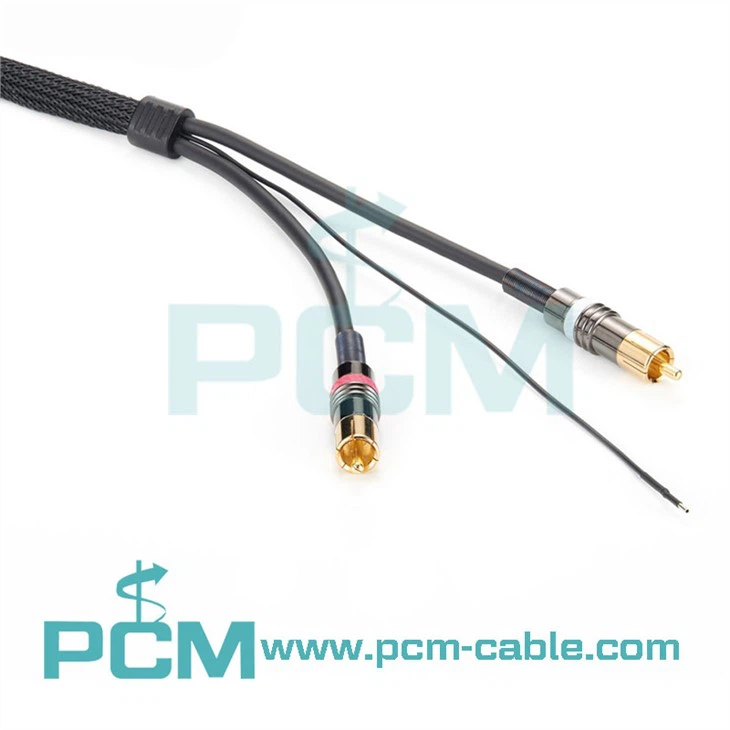
Similarly, if you need to connect RCA cables to a device with an RJ45 port, you can use a Power Link Adaptor RCA Male To RJ45 Cable. And for turntables, a Phono Cable RCA TO RCA Tonearm Cable is specifically designed to provide high - quality audio transmission.
Conclusion
Improving the performance of RCA cables requires a combination of choosing the right cable, proper installation, signal boosting, maintenance, and ensuring compatibility with other devices. As a RCA cables supplier, I am committed to providing high - quality cables and helping our customers achieve the best audio experience.
If you are interested in purchasing RCA cables or have any questions about improving their performance, please feel free to contact us for a procurement discussion. We are here to assist you in finding the best solutions for your audio needs.
References
- The Audio Encyclopedia. 2018.
- Handbook of Audio Engineering. 2020.


