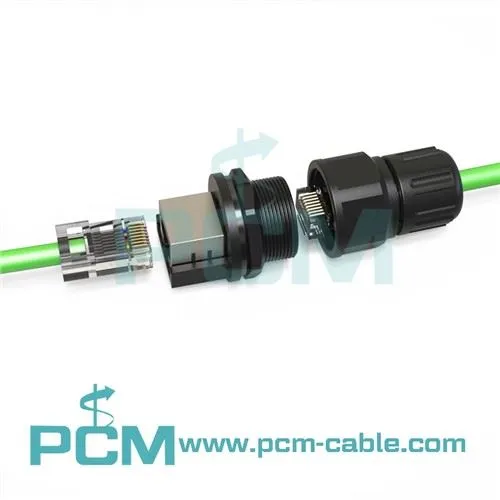
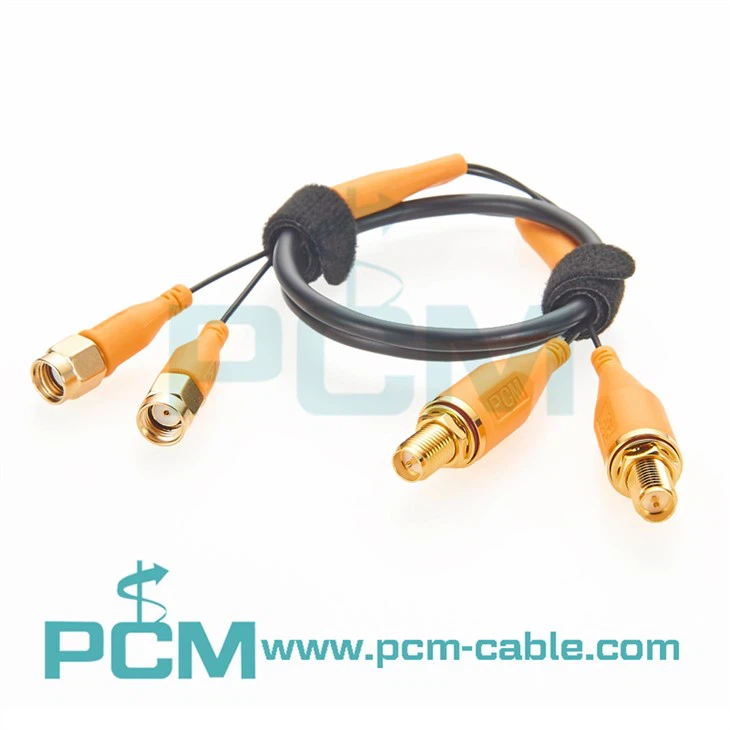
As an RF jumper cable supplier, I get asked this question at least once a week: “How long can I make my RF jumper cable before I start seeing major signal loss?” It’s a smart question, too—because too little length can make routing around racks or equipment a nightmare, while too much length can eat into signal performance before your system even gets going. I’ve spent years working with engineers, field technicians, and small business owners who’ve had to troubleshoot connectivity issues that all traced back to a jumper cable that was just a few feet too long or used the wrong type. Today, I want to break down what actually causes signal loss in RF cables, what “significant loss” really means, and how to figure out the right length for your setup. I’ll also throw in some real-world examples of cables we stock that solve common length and performance problems, plus tips to avoid costly mistakes.
First, let’s get one thing straight: no RF cable is perfect. All coaxial cables (which is what RF jumper cables are) have some level of inherent loss, measured in decibels (dB) per unit length—usually per foot or per meter. This loss comes from two main sources: resistance in the inner and outer conductors, and energy that escapes through the insulation (called dielectric loss). The type of cable, its gauge, the materials used, and the frequency of the signal all play into how much loss you’ll see. But here’s the key: “significant signal loss” isn’t a one-size-fits-all number. What’s a problem for a low-power 900MHz radio might be totally fine for a high-power 28GHz 5G base station. That’s why the answer depends on your specific use case.
Let’s start with frequency, because that’s the biggest factor. Higher frequencies attenuate (lose) signal much faster than lower ones. For example, a thin RG-174 cable might have a loss of about 1dB per meter at 1GHz, but at 10GHz, that jumps to over 3dB per meter. So a 10-meter RG-174 cable would lose 10dB at 1GHz (which is noticeable, but maybe manageable) but 30dB at 10GHz—enough to make most high-frequency systems stop working altogether. For lower frequencies, like AM radio or industrial sensors around 100MHz, that same RG-174 might only lose 0.1dB per meter, so a 10-meter cable is totally fine.
Cable type is next. Not all RF jumper cables are created equal. Thicker cables have lower loss because their conductors carry more current with less resistance. A heavy-duty LMR-400 cable, for example, might have a loss of 0.15dB per meter at 1GHz, compared to 0.5dB per meter for RG-213, and 1dB per meter for RG-174. So if you need a longer cable at high frequency, going with a thicker cable is almost always better than stretching a thin one. That’s why we stock cables like the 1 2 Super Flex 4.3-10 Right Angle Jumper Cable—it’s a mid-sized super flexible cable designed for 5G and cellular infrastructure, with low loss even at frequencies up to 6GHz, so it works great for runs that are 5 to 10 meters without a big performance hit.
Another thing that people forget about is the connectors. Even if your cable has low inherent loss, bad connectors or poorly made connections can add extra loss that’s way more significant than the cable itself. For example, a loose SMA connector might add 1dB of loss all on its own, which could make a short cable that was otherwise fine start to underperform. That’s why we make sure all our jumpers are assembled with precision crimping and testing, but if you’re mixing and matching parts, you might need adapters to get the right fit. Like, if you have a device with SMA Female connectors and you need to connect to a TNC Male port, we have the SMA Female To TNC Female Bulkhead Mount Adapter that’s tested to keep loss low, instead of using a cheap adapter that adds extra dB.
Now, let’s talk about what “significant signal loss” actually looks like in real terms. Most RF systems are designed with a certain amount of allowable loss, called link budget. For example, a simple Wi-Fi router might have a transmit power of 20dBm and a receiver that can pick up signals down to -70dBm. That means the total loss from the router to the antenna can’t be more than 50dB (20 - (-70) = 90? Wait, no, let me correct that: 20dBm is the transmit power, so if the receiver needs at least -60dBm to work, the total loss can’t exceed 80dBm minus (-60dBm) = wait, no, that’s not how it works. Let me rephrase that: if your receiver has a sensitivity of -70dBm, any signal below that won’t be decoded as data. So your transmit power (say 15dBm) minus total cable and connector loss has to be higher than -70dBm. So total loss can’t be more than 85dB. But that’s for a very short range, like home Wi-Fi. If you’re running a 5G base station that needs to connect to an antenna 10 meters away, you don’t want to use half the link budget just for the cable—you need to leave room for other components, like splitters or diplexers. So for that, you’d want a cable that has less than 2dB of loss for that 10-meter run. Let’s say you use the 1 2 Super Flex 4.3-10 M To 7-16 M at 3.5GHz (a common 5G band)—its loss is about 0.2dB per meter, so 10 meters would be 2dB, which is totally within the allowable loss for that link.
I’ve seen way too many guys try to cut corners here. A few months back, a client came to us with a problem: their new 4.9GHz wireless link was dropping constantly, and they’d used a 15-meter RG-316 cable because it was cheap. The RG-316’s loss at 4.9GHz is about 3.5dB per meter, so 15 meters would be 52.5dB of loss. That’s way too much for their system, which only had a link budget of 40dB total. We swapped it out for a 15-meter RG316 SMA To SSMB Male Angle Coax RF Cable? Wait, no, RG-316 is thin—wait, actually, we recommended a thicker LMR-400 equivalent, which had a loss of 0.18dB per meter at 4.9GHz, so 15 meters was only 2.7dB. That fixed their problem right away. The cheap thin cable was the issue, not the length itself—they just didn’t account for how much loss that type of cable adds at high frequency.
Another common scenario: short jumpers between devices in a rack or on a test bench. People often use tiny pigtails here, but they still need to watch for loss, especially if the connection is cramped and needs a right-angle connector to fit. For example, a lab technician might need to connect an oscilloscope with a SMA Female panel mount to a signal generator with a SMA Male right angle port. The SMA Female Panel Mount To SMA Male Right Angle RG316 Pigtail Cable is only 15cm long, but it’s built with precision connectors to keep loss under 0.5dB at 6GHz—perfect for tight spaces where a standard straight cable would be too long or won’t fit. The length here is short, but even at that tiny distance, a poorly made pigtail can add noticeable loss if the connectors are cheaply crimped.
So how do you calculate the maximum length for your RF jumper cable? Let’s walk through a quick step-by-step. First, find out the frequency of your signal (look at your device’s specs—most will list the operating frequency range). Second, find the loss per meter (or foot) for the cable you’re considering—you can get this from the cable’s datasheet, or ask us as your supplier, we have all the specs for every cable we stock. Third, figure out the maximum allowable loss for your system: take your transmit power (in dBm) minus your receiver’s sensitivity (in dBm)—that’s your total allowable loss. Then subtract any other loss in your setup (splitters, adapters, connectors) to get the maximum loss you can have from the jumper cable itself. Finally, divide that number by the cable’s loss per meter, and that’s your maximum length.
Let’s test that with an example. Suppose you have a 2.4GHz Wi-Fi camera, with transmit power of 10dBm and receiver sensitivity of -80dBm. Total allowable loss is 10 - (-80) = 90dB. Let’s say you have an adapter that adds 1dB of loss, so your jumper cable can lose up to 89dB. If you use RG-58 cable, which has a loss of 0.6dB per meter at 2.4GHz, then maximum length is 89 / 0.6 ≈ 148 meters. That’s way longer than most people would need for a Wi-Fi camera, so in this case, even a cheap RG-58 cable would be fine. But if you were doing the same at 5GHz (another Wi-Fi band), RG-58’s loss jumps to 1.2dB per meter, so maximum length would be 89 / 1.2 ≈ 74 meters—still pretty long, but if you tried to use RG-174 at 5GHz, which is 2dB per meter, you’d only get 44 meters before hitting that 89dB limit.
Wait, but what about signal loss at very high frequencies, like 28GHz for 5G? That’s a different story. At 28GHz, even thick cables like LMR-600 have a loss of about 0.5dB per meter, so a 10-meter run would be 5dB, which is manageable. But if you tried to use a thin cable at 28GHz, like RG-178, its loss is over 10dB per meter—so a 1-meter run would be 10dB, which might be too much for a high-frequency receiver that needs a strong signal. That’s why choosing the right cable type for your frequency is just as important as length.
Another thing that affects length is impedance. All RF cables have a characteristic impedance—most common ones are 50 ohms for cellular, Wi-Fi, and most industrial equipment, or 75 ohms for cable TV. If your cable and connectors don’t match the equipment’s impedance, you get what’s called reflection loss, which is another form of signal loss that’s often overlooked. So even if your cable has low intrinsic loss, a mismatch can make the total loss way higher. For example, connecting a 75-ohm cable to a 50-ohm device can add 2dB or more of reflection loss, depending on how good the connection is. That’s why we make sure all our jumpers and adapters are impedance-matched to 50 ohms for our RF products, to avoid that extra loss.
Now, let’s talk about when length starts to matter. If your total cable loss is less than 1dB, it’s almost never going to cause a noticeable problem for most systems. Even a 3dB loss is often manageable, because that just means your signal is half as strong as it would be without the cable—many receivers can handle that. But when you get to 6dB and above, that’s a 75% signal loss, which is when you might start seeing issues: dropped connections, slow data, or no signal at all. That’s the point where most people would call “significant signal loss.” So if your jumper cable is adding more than 3-6dB of loss, you’re probably at a length where you should consider switching to a lower-loss cable (thicker, better material) or shortening the cable run.
I’ve worked with customers who’ve tried to use a 20-meter RG-174 cable for a 5.8GHz remote control system, and they were frustrated that the remote wouldn’t work half the time. The cable’s loss was about 5dB per meter at 5.8GHz, so 20 meters was 100dB—way too much. We suggested replacing it with a 20-meter Super Flex 4.3-10 cable, which has a loss of 0.25dB per meter at that frequency, so 20 meters is 5dB, which is totally fine. That’s the kind of solution we live for as a supplier: not just selling a cable, but helping someone fix a problem by matching the right cable to their length and frequency needs.
Also, don’t forget about bending the cable. Even a cable with great specs will have extra loss if you bend it too sharply, especially super flexible cables. For example, if you kink a cable or make a bend with a radius smaller than the manufacturer recommends, the inner conductor can get distorted, leading to higher loss. That’s why the Super Flex 4.3-10 cables we stock have a minimum bend radius of like 20mm, so you can route them around corners in a rack or through a tight space without adding extra loss. If you’re planning to run a cable through a crowded area, make sure you pick one that’s flexible enough to bend without kinking—otherwise, even a short bend can turn a “safe” length into one with too much loss.
So to wrap this up: there’s no hard and fast number for how long an RF jumper cable can be before significant signal loss. It depends on three main factors: the frequency of your signal, the type of cable you’re using, and your system’s allowable link budget. As a supplier, I always recommend that customers don’t just go for the cheapest cable or the longest length they can find—instead, do a quick calculation based on their specs, or reach out to us and we can help. Whether you need a short pigtail for a test bench, a medium-length jumper for a 5G antenna, or a long cable for a remote sensor, we have the right products, like the 1 2 Super Flex 4.3-10 Right Angle Jumper Cable, the 1 2 Super Flex 4.3-10 M To 7-16 M, precision adapters like the SMA Female To TNC Female Bulkhead Mount Adapter, or compact pigtails like the RG316 SMA To SSMB Male Angle Coax RF Cable or SMA Female Panel Mount To SMA Male Right Angle RG316 Pigtail Cable, all designed to keep loss low no matter your length needs.
If you’re not sure which cable is right for your setup, or you need help figuring out the maximum length for your system, feel free to reach out to discuss your requirements with our team. We don’t just sell RF jumper cables—we help our customers get the right performance for their projects, without wasting money on overkill or dealing with frustrating signal issues.
References


- RF Cable Loss Calculations, IEEE Transactions on Microwave Theory and Techniques, Vol. 62, No. 12, 2014
- Coaxial Cable Characteristics and Impedance Matching, Wiley Publishing, 2018
- 5G RF Link Budget Design, 3GPP TR 38.901, 2020
- Cable Bending Radius and Its Impact on RF Signal Performance, Microwave Journal, Vol. 61, No. 5, 2018
- Common RF Cable Assembly Pitfalls, RF Technology Magazine, Vol. 29, No. 3, 2021