

Hey there! As a supplier of Snake Cables, I've seen my fair share of issues with these cables. Snake cables are super handy for audio setups, connecting multiple audio sources or outputs in one go. But when they go faulty, it can be a real headache. So, in this blog, I'm gonna walk you through how to troubleshoot a faulty snake cable.
First Things First: Check the Connections
The simplest and most common cause of a problem with a snake cable is a loose or improper connection. Start by checking all the ends of the cable. Make sure that each plug is firmly inserted into its corresponding socket. Sometimes, a cable might seem plugged in, but it's just not making a good electrical connection.
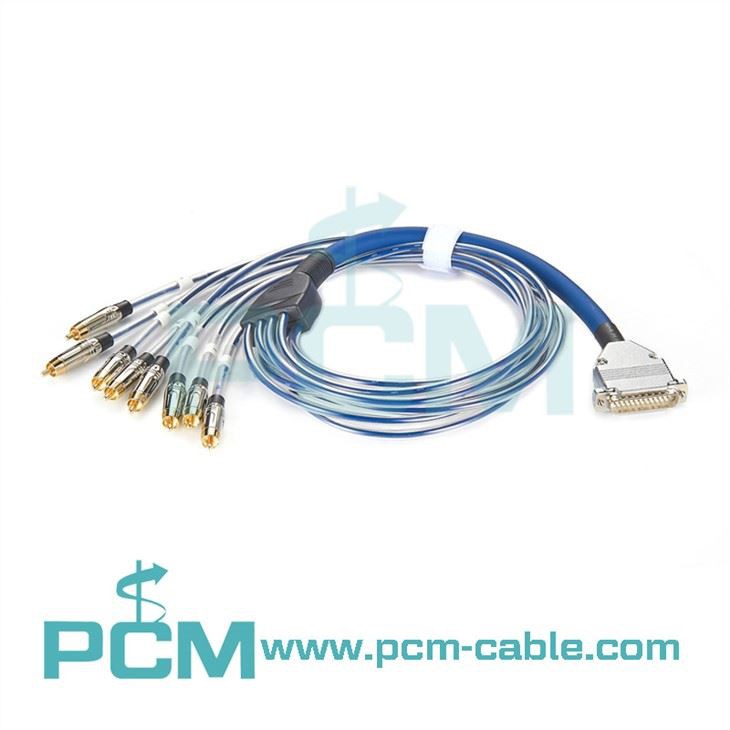
For example, if you're using an 8 Channel RCA To DB25 Snake, check each RCA plug and the DB25 connector. Wiggle them gently while the audio system is on. If you hear crackling or intermittent sound, it's likely a connection issue. Try unplugging and re - plugging the connectors to see if that fixes the problem.
Inspect the Cable for Physical Damage
Next, take a close look at the cable itself. Look for any visible signs of damage, like cuts, kinks, or frayed wires. A cut in the outer insulation can expose the internal wires, leading to short circuits or signal loss. If you find a cut, you can try using electrical tape to cover it temporarily, but it's usually best to replace the cable if the damage is significant.
Kinks in the cable can also cause problems. They can damage the internal wires over time, leading to intermittent or no signal at all. If you notice a kink, try to straighten it out carefully. But be aware that if the kink has already caused damage to the wires inside, straightening it might not solve the problem.
Test the Cable with a Different Setup
If you suspect the cable is faulty but you're not sure, try using it in a different audio setup. For instance, if you've been using it in a live sound system, try using it in a studio setup or vice versa. If the problem persists in the new setup, it's more likely that the cable itself is the issue.
Let's say you have an RJ45 To XLR Cable 4 Channel. Try using it to connect different audio devices. If the problem follows the cable, then it's a cable problem.
Use a Cable Tester
A cable tester is a great tool for troubleshooting snake cables. You can buy a relatively inexpensive cable tester online or at an electronics store. These testers send a signal through the cable and can detect if there are any breaks or shorts in the wires.
To use a cable tester, follow the manufacturer's instructions. Usually, you'll need to connect the tester to one end of the cable and then connect a corresponding adapter or device to the other end. The tester will then tell you if the cable is functioning properly or if there are any issues.
Check the Channels Individually
Snake cables often have multiple channels. If you're experiencing problems with only one or a few channels, you can test each channel separately. For example, if you're using a Multicore analog snack cable Gold DB25 Sub - D High fidelity, which has multiple channels, connect a test audio source to each channel one by one and listen for the output.
If one channel has no output or a weak output, there could be a problem with that specific channel's wiring inside the cable. You might be able to repair it by opening the cable and soldering the broken wire if you have the necessary skills. Otherwise, it might be time to replace the cable.
Consider the Environment
The environment in which the cable is used can also affect its performance. High humidity, extreme temperatures, and exposure to chemicals can all damage the cable over time. If the cable has been exposed to a harsh environment, it might be more likely to develop faults.
For example, if the cable has been stored in a damp basement, moisture could have seeped into the cable, causing corrosion of the internal wires. In such cases, drying out the cable might help, but again, if the damage is already done, replacement might be the best option.

Look for Electrical Interference
Sometimes, the problem isn't with the cable itself but with electrical interference. Other electronic devices near the snake cable can emit electromagnetic fields that interfere with the audio signal. For example, a power supply or a fluorescent light can cause interference.
Try moving the cable away from other electronic devices or using shielded cables. Shielded cables have an extra layer of insulation that helps block out electromagnetic interference. If you're using a long snake cable, make sure it's not running parallel to power cables for long distances, as this can also cause interference.
When to Replace the Cable
If you've tried all the troubleshooting steps above and the cable still doesn't work properly, it's probably time to replace it. A faulty cable can cause all sorts of audio problems, from poor sound quality to complete signal loss. And in a professional audio setup, a faulty cable can ruin a performance or a recording session.
As a snake cable supplier, I can offer you a wide range of high - quality snake cables. Whether you need an 8 Channel RCA To DB25 Snake, an RJ45 To XLR Cable 4 Channel, or a Multicore analog snack cable Gold DB25 Sub - D High fidelity, we've got you covered.
If you're in the market for new snake cables or have any questions about troubleshooting your existing ones, feel free to reach out to us for procurement and further discussions. We're here to help you get the best audio performance from your setup.
References
- Audio Engineering Society (AES) publications on audio cable troubleshooting
- Manufacturer's guides for snake cables and audio equipment


