Hey there! I'm a supplier of serial cables, and I often get asked about how to clean these cables properly. Serial cables are like the unsung heroes of the tech world. They help transfer data between devices, and keeping them clean is super important to ensure they work at their best for a long time.
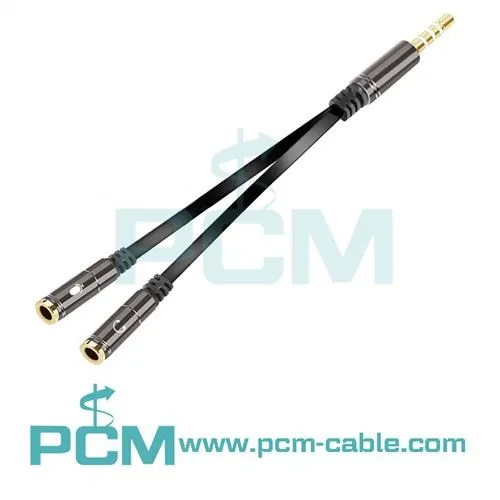
Let's start with understanding what a serial cable is. It's a type of cable that uses serial communication, which means it sends data one bit at a time. There are different types, like the ones used for printers, modems, or even in industrial settings to connect various machines. And if you're looking for specific types of serial cables, we've got some great options like the USB To RS485 Converter Cable, the USB TO TTL Converter, and the USB To UART Cable Supports 3.3V UART Signals 3.5mm Audio Jack.
Now, let's get into the cleaning process. Before you start, make sure the device is turned off. You don't want any electrical issues while you're cleaning the cable. If the cable is connected to a device, gently unplug it. You don't want to yank it out and damage the connectors.
The first step is to give the cable a visual inspection. Look for any obvious dirt, dust, or debris on the outside of the cable. Sometimes, just a quick look can show you where the problem areas are. If you see a lot of dust, you can use a can of compressed air. This is a really handy tool. Just hold the can upright and spray short bursts of air along the length of the cable. The compressed air will blow away the loose dust and dirt from the cable's surface.
Next, let's talk about the connectors. The connectors on a serial cable are super important because they're the parts that actually transfer the data. Over time, they can get dirty with things like dust, oxidation, or even a little bit of goo from being handled. For the connectors, you can use a cotton swab or a soft-bristled brush. Dip the cotton swab or brush in a small amount of isopropyl alcohol. Make sure it's not soaked, just a little bit damp. Then, gently clean the pins on the connectors. Be really careful not to bend or damage the pins. You want to make sure they stay in good shape so that the cable can make a proper connection.
If the cable has a particularly stubborn stain or dirt that won't come off with just the compressed air and alcohol, you can use a mild soap and water solution. But be really cautious with this. First, make a very diluted solution of soap and water. Then, dip a clean, soft cloth in the solution and wring it out really well so that it's only slightly damp. Gently wipe the dirty part of the cable. After that, use a dry cloth to wipe the cable dry. You don't want any water to seep into the cable or the connectors because that can cause electrical problems.
Another thing to keep in mind is the environment where the cable is used. If the cable is in a dirty or dusty place, you might need to clean it more often. For example, in an industrial setting where there's a lot of machinery and dust in the air, the cables can get dirty really quickly. On the other hand, if the cable is used in a clean office environment, it might not need to be cleaned as frequently.
Once you've finished cleaning the cable, let it dry completely before you plug it back in. You can leave it out in the open air for a little while to make sure all the moisture is gone. And when you plug it back in, do it gently. Make sure the connectors fit properly and there's no resistance.


Now, I want to talk a bit about why cleaning your serial cables is so important. A clean cable can transfer data more efficiently. If there's dirt or oxidation on the connectors, it can interfere with the data transfer and cause errors. This can lead to problems like slow data transfer speeds, or even worse, the device might not work at all. By keeping your cables clean, you can extend their lifespan. You won't have to replace them as often, which can save you money in the long run.
If you're in the market for high - quality serial cables or need more advice on cable maintenance, don't hesitate to reach out. We're here to help you find the best solutions for your data transfer needs. Whether you're a small business owner, a tech enthusiast, or an industrial professional, we've got the right serial cables for you.
In conclusion, cleaning a serial cable is not a difficult task, but it does require a bit of care and attention. By following these simple steps, you can keep your cables in top condition and ensure smooth data transfer. Remember, if you have any questions or need assistance with choosing the right serial cable for your needs, we're just a message away.
References:
- General knowledge about serial cables and electronics maintenance.
- Experience from being a serial cable supplier.