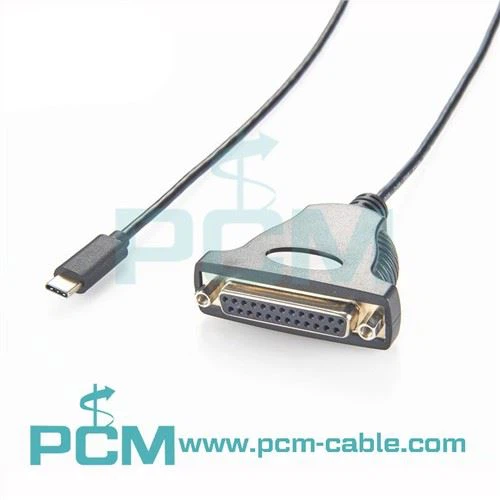
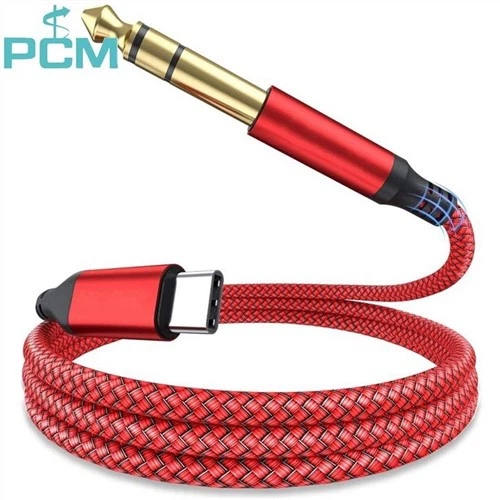
When it comes to the world of technology, USB cables are the unsung heroes that keep our devices connected and powered. As a USB cables supplier, I understand the importance of providing high - quality products to my customers. In this blog, I'll share with you the key aspects to check when evaluating the quality of a USB cable.
1. Cable Material
The material of a USB cable plays a crucial role in its overall quality. The outer sheath, which is the part you can easily see and touch, should be made of durable materials. High - quality cables often use PVC (Polyvinyl Chloride) or TPE (Thermoplastic Elastomer) for the outer layer. PVC is known for its toughness and resistance to abrasion, while TPE offers flexibility and better resistance to environmental factors such as heat and cold.
For example, a cable with a thick and well - made PVC sheath will be less likely to get damaged when it's bent or pulled. It can withstand daily wear and tear, making it a reliable choice for long - term use. On the other hand, a thin or low - quality sheath may crack or break easily, exposing the inner wires and posing a safety risk.
The inner conductors are equally important. Copper is the most commonly used material for USB cable conductors due to its excellent electrical conductivity. The purity of the copper matters significantly. High - purity copper, such as oxygen - free copper (OFC), has lower resistance, which means less power loss during transmission. This results in better data transfer speeds and more efficient charging. A cable with low - quality copper conductors may experience signal degradation, leading to slower data transfer or unreliable charging.
2. Connector Quality
The connectors at both ends of the USB cable are vital for a stable connection. The pins inside the connector should be made of high - quality metal, usually gold - plated. Gold plating provides better corrosion resistance and electrical conductivity. It helps to ensure a reliable connection between the cable and the device, reducing the chances of intermittent connections or data transfer errors.
When you inspect a connector, check the smoothness of the pins. Any bent or damaged pins can prevent a proper connection. Also, pay attention to the tightness of the connector. A good - quality connector should fit snugly into the device's port. If it's too loose, it may come out easily during use, and if it's too tight, it could damage the port over time.
Some high - end USB cables also feature reinforced connectors. These reinforcements, often made of plastic or metal, add extra durability to the connector. They prevent the connector from breaking off if the cable is pulled or bent at an angle near the connector. For instance, a cable with a reinforced USB - C connector is less likely to have its pins damaged when inserted or removed frequently.
3. Data Transfer and Charging Performance
One of the most important aspects of a USB cable is its data transfer and charging performance. To check the data transfer speed, you can use benchmarking tools on your computer. Connect the USB cable to your computer and a storage device, such as an external hard drive, and transfer a large file. Compare the transfer time with the expected speed for the cable's specification. For example, a USB 3.0 cable should be able to transfer data at much higher speeds than a USB 2.0 cable.
When it comes to charging performance, use a power meter to measure the amount of power being transferred from the charger to the device. A high - quality cable should be able to deliver the maximum power supported by the charger and the device. If the charging speed is significantly slower than expected, it could be a sign of a problem with the cable.
It's also important to note that some cables are designed specifically for data transfer, while others are optimized for charging. For example, the Dual Port USB Type - C Active Extension Cable With Power is designed to provide both data transfer and power delivery capabilities over an extended distance.
4. Certification
Certifications are a good indicator of a USB cable's quality. Look for cables that are certified by relevant organizations. For USB cables, the USB Implementers Forum (USB - IF) certification is highly regarded. A cable with a USB - IF certification has met the strict standards set by the organization for data transfer, power delivery, and safety.
Certified cables are more likely to be compatible with a wide range of devices. They have been tested to ensure that they work properly with different operating systems and device models. For example, a USB - C cable with USB - IF certification will be able to support the latest USB - C features, such as fast charging and high - speed data transfer.
5. Brand Reputation
The reputation of the brand can also give you an idea about the quality of the USB cable. Well - established brands often have a track record of producing high - quality products. They invest in research and development to improve their cable designs and manufacturing processes.
You can read customer reviews and ratings online to get an understanding of a brand's reputation. Positive reviews from satisfied customers are a good sign that the brand's cables are reliable. However, be cautious of fake reviews. Look for detailed and balanced reviews that mention both the pros and cons of the product.
6. Compliance with Standards
USB cables should comply with industry standards. Different USB versions, such as USB 2.0, USB 3.0, and USB - C, have specific standards for data transfer speeds, power delivery, and physical dimensions. A cable that complies with these standards will work correctly with devices that support the corresponding USB version.
For example, a USB C To Micro B Tether Cable should be designed to meet the specifications for data transfer and power delivery between USB - C and Micro - B devices. Non - compliant cables may not work as expected or could even damage your devices.
7. Length and Flexibility
The length of the USB cable can affect its performance. Generally, longer cables may experience more signal loss and power drop - off. If you need a long cable, consider using an active cable, such as the USB 3.0 Active Extension Cable Repeater Cable. These cables have built - in repeaters that boost the signal, allowing for reliable data transfer and charging over longer distances.


Flexibility is also an important factor. A flexible cable is easier to use and less likely to break when bent. However, it should not be too flexible to the point of being flimsy. A good balance between flexibility and durability is essential.
As a USB cables supplier, I am committed to providing high - quality cables that meet all these quality - checking criteria. If you are in the market for reliable USB cables, whether for personal use or for your business, I invite you to contact me for a detailed discussion about your requirements. We can explore the best cable options for your specific needs and work together to ensure you get the most suitable products at a competitive price.
References
- “USB Cable Basics,” USB Implementers Forum.
- “Materials for Electrical Conductors,” IEEE Transactions on Electrical Insulation.
- Customer reviews and product specifications from various USB cable manufacturers.