Yo, what's up tech enthusiasts! I'm an RJ45 cables supplier, and I get this question a lot: "Can I use an RJ45 cable for a NAS (Network - Attached Storage)?" Well, let's dive right into it and break it down.
First off, let's talk a bit about what a NAS is. A Network - Attached Storage is basically a file storage device that connects to a network, allowing multiple users and client devices to access data. It's like a personal cloud storage on your local network. And when it comes to connecting a NAS to your network, the RJ45 cable is a common choice, but is it the right one?
RJ45 cables are those Ethernet cables you've probably seen everywhere. They have those little plastic connectors at the ends with eight pins. These cables are used to connect devices to a network, whether it's your computer, router, or in this case, a NAS.
The great thing about RJ45 cables is their versatility. There are different categories of RJ45 cables, like CAT5, CAT5e, CAT6, and CAT6a. Each category has different specifications in terms of speed and bandwidth.
Let's start with the basics. If you have a small - scale NAS setup, say for a home network where you're just storing some family photos, videos, and maybe a few documents, a CAT5 or CAT5e cable might do the trick. The CAT5E Shielded 45° RJ45 Patch Cable is a great option. It's shielded, which means it can reduce interference from other electronic devices around it. This is important because interference can cause data transfer issues and slow down your connection.
CAT5e cables can support speeds of up to 1 Gigabit per second (Gbps) over a distance of up to 100 meters. That's plenty fast for most home NAS setups. You can easily transfer files between your computer and the NAS without any major lag.
But what if you have a more professional or high - demand NAS setup? Maybe you're running a small business and need to store large amounts of data, or you're using the NAS for video streaming to multiple devices simultaneously. In that case, you'll want to look at higher - category cables like CAT6 or CAT6a.
CAT6 cables are designed to support speeds of up to 10 Gbps over a distance of up to 55 meters. They have better insulation and are less prone to crosstalk (when signals from one wire interfere with signals from another wire in the cable). This makes them ideal for high - speed data transfer in a NAS environment where you need to move large files quickly.
CAT6a cables are even better. They can support 10 Gbps speeds over a full 100 - meter distance. If you have a large office or a data center - style NAS setup, CAT6a is the way to go.


Now, let's talk about some of the other factors to consider when using an RJ45 cable for your NAS.
Length matters. The longer the cable, the more signal degradation you'll experience. So, try to keep the cable as short as possible between your NAS and the network switch or router. If you need a longer cable, make sure to use a higher - category cable to compensate for the signal loss.
Another thing is the environment. If your NAS is in a noisy electrical environment, like near a server room with a lot of other electronic equipment, you'll want to use a shielded cable. The shield helps protect the signals in the cable from external interference.
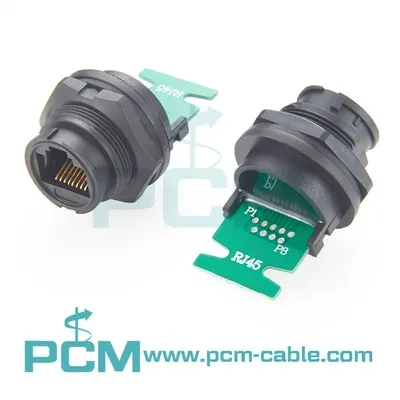
There are also different types of connectors on RJ45 cables. For example, the RJ45 Male To Molex Connector Cable can be useful in certain situations where you need to connect the NAS to a device with a Molex connector. And the RJ45 Connector For Battery Monitoring System might come in handy if your NAS has a battery - monitoring feature.
In terms of compatibility, most modern NAS devices are designed to work with RJ45 cables. They have Ethernet ports that accept the standard RJ45 connectors. So, as long as you choose the right category of cable based on your needs, you shouldn't have any compatibility issues.
To sum it up, yes, you can definitely use an RJ45 cable for a NAS. The key is to choose the right category of cable based on your specific requirements. If you're just starting out with a home NAS, a CAT5e cable might be sufficient. But if you have high - speed data transfer needs, go for a CAT6 or CAT6a cable.
If you're still not sure which cable is right for your NAS setup, don't worry. I'm here to help. As an RJ45 cables supplier, I've got a wide range of cables to suit different needs. Whether you need a short patch cable for a home setup or a long, high - performance cable for a business NAS, I can provide you with the right solution.
If you're interested in purchasing RJ45 cables for your NAS or have any questions about which cable is best for you, feel free to reach out. We can have a chat about your specific requirements and find the perfect cable for your NAS.
References:
- Ethernet Cable Standards: IEEE 802.3
- Network Attached Storage Basics: Various industry whitepapers