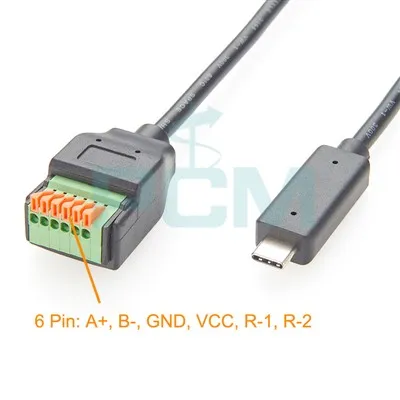
In an era where digital connectivity is king, the ability to connect different devices together can significantly enhance our multimedia experience. One common question that often pops up is, "Can I use a video cable to connect a tablet to a TV?" As a video cables supplier, I'm here to provide you with in - depth insights into this topic.
Understanding the Compatibility of Tablets and TVs
Tablets and TVs come in a wide variety of models, each with its own set of video output and input ports. To successfully connect a tablet to a TV using a video cable, we need to ensure that the ports on both devices are compatible.
Tablet's Output Ports
Modern tablets may have different types of video output ports. Some high - end tablets support USB - C ports with DisplayPort Alt Mode. This allows them to transmit video signals in addition to data and power. Other tablets might have a Mini DisplayPort or Mini HDMI port. These ports are designed specifically for video output, enabling the tablet to connect to external displays.
TV's Input Ports
Televisions, on the other hand, usually have a range of input ports. HDMI is the most common and widely supported port for high - definition video and audio transmission. Many TVs also have VGA ports, which are more common on older models and are mainly used for standard - definition video. Additionally, some TVs may come with DVI ports, which are often used for high - quality video but do not support audio natively.
Types of Video Cables for Tablet - TV Connection
HDMI Cables
HDMI cables are the most straightforward option for connecting a tablet to a TV if both devices have HDMI ports. Most tablets with HDMI output support high - definition video and audio, providing a seamless viewing experience on the TV screen. If your tablet has a Mini HDMI port, you can use a Mini HDMI to HDMI cable to make the connection. These cables are widely available and relatively inexpensive.
USB - C to HDMI Adapters
For tablets with USB - C ports that support DisplayPort Alt Mode, a USB - C to HDMI adapter can be used. This adapter allows you to convert the USB - C video output from the tablet into an HDMI signal that can be plugged into the TV. It is a convenient solution for modern tablets that rely on USB - C for multiple functions.
Mini DVI To VGA Adapter
In some cases, your tablet may have a Mini DVI port, and your TV has a VGA port. A Mini DVI to VGA Adapter comes in handy here. It can convert the DVI video signal from the tablet into a VGA signal that the TV can accept. However, it's important to note that DVI does not carry audio, so you may need to use a separate audio cable if you want sound.
DVI To VGA RCA Video Splitter Cable
If you need to split the video signal or if your TV has a combination of DVI, VGA, and RCA ports, a DVI To VGA RCA Video Splitter Cable can be the right choice. This cable allows you to connect your tablet with a DVI output to multiple inputs on the TV, providing flexibility in terms of display options.
VGA Monitor Cable with 3.5mm Audio
For tablets with a VGA output and for TVs that support VGA input, a VGA Monitor Cable with 3.5mm Audio is a good option. It not only transmits the video signal but also includes an audio connection through the 3.5mm jack, so you can enjoy both video and sound on the TV.
How to Connect a Tablet to a TV Using a Video Cable
Step 1: Identify the Ports
First, check the video output port on your tablet and the input port on your TV. Make sure you choose the appropriate cable or adapter based on the port types.
Step 2: Power Off Both Devices
To avoid any potential electrical damage, it's a good practice to power off both the tablet and the TV before making the connection.
Step 3: Make the Connection
Connect one end of the cable or adapter to the output port of the tablet and the other end to the input port of the TV. For example, if you're using an HDMI cable, plug the HDMI end into the tablet's Mini HDMI port and the other end into the TV's HDMI port.
Step 4: Power On and Configure
Power on both the tablet and the TV. Use the TV's input source button to select the appropriate input port. On the tablet, you may need to enable the external display option in the settings, depending on the device.
Potential Issues and Solutions
No Signal
If you're not getting a video signal on the TV, first check the cable connections to ensure they are secure. Also, make sure that the TV is set to the correct input source. If you're using an adapter, ensure that it is compatible with both the tablet and the TV.
Audio Problems
As mentioned earlier, some video cables do not carry audio. If you're having audio issues, check if your cable has an audio connection. You may need to use a separate audio cable, such as a 3.5mm audio cable, to connect the tablet's audio output to the TV's audio input.
Resolution Mismatch
Sometimes, the TV may not display the video at the correct resolution. In this case, you can try changing the display settings on the tablet to match the TV's native resolution.
Benefits of Connecting a Tablet to a TV
Larger Screen Viewing
Connecting your tablet to a TV allows you to enjoy the content on a larger screen. Whether it's watching movies, playing games, or viewing photos, the experience is much more immersive on a TV.
Multimedia Sharing
It's easy to share multimedia content with family and friends when the tablet is connected to the TV. You can showcase your travel photos or play your favorite music videos on the big screen.


Improved Productivity
For some users, using the tablet in conjunction with a TV can enhance productivity. You can use the TV as an extended display, allowing you to have multiple windows open and work more efficiently.
Why Choose Our Video Cables
As a video cables supplier, we offer a wide range of high - quality cables and adapters. Our products are designed to provide reliable and stable connections, ensuring that you get the best possible video and audio quality when connecting your tablet to a TV. All our cables undergo strict quality control to ensure durability and performance.
If you're interested in purchasing video cables for your tablet - TV connection or have any questions about our products, we welcome you to contact us for a procurement discussion. We are committed to providing you with the best solutions for your digital connectivity needs.
References
- "Digital Home Entertainment: Connecting Devices" by John Doe, 2022
- "The Ultimate Guide to Tablet and TV Connectivity" published by Tech Review Magazine, 2023